Catch up with AI
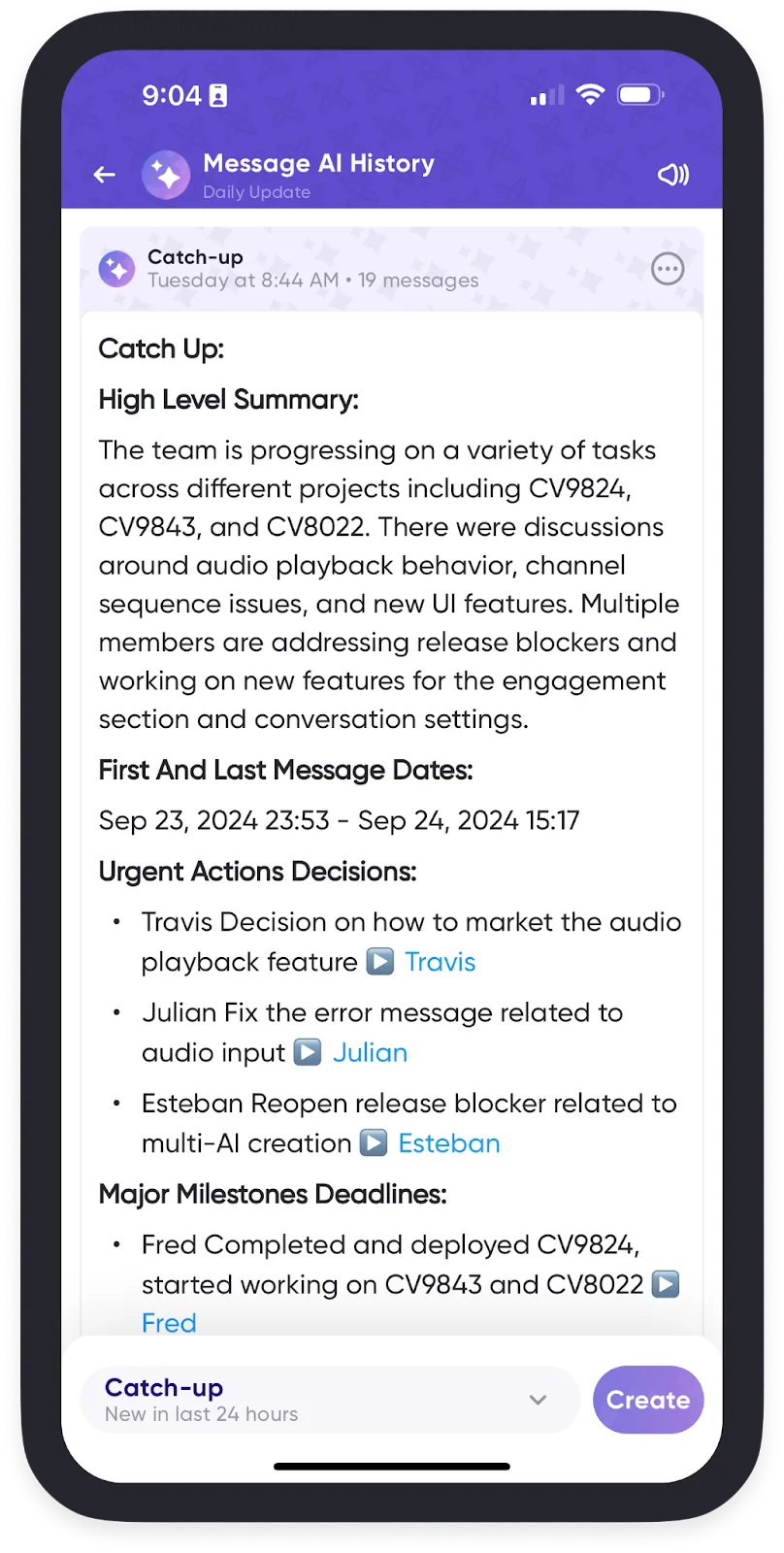
Stuck in a meeting, or waking up to a busy conversation? Catch-up generates a summary of what you missed.
The quick way

Swipe from right to left on a conversation, either from Home or in your conversation list, and Catch-up summarizes the discussion, with links to play the source messages.
The full catch-up summary
- Open the conversation you want to catch up on.
- Open AI Chat. Tap the summarize icon at the top right and choose AI Chat — on desktop, use the dedicated AI Chats button in the app bar instead.
- Select Create Catch-Up Summary. This covers new messages from the last 24 hours.
- Wait a few seconds for the summary, which gives you a high-level overview
including:
- Key actions, and anything urgent or decided
- Milestones, or shifts in priorities
- Questions and requests
- Tap a highlighted blue name to jump straight to the original message.
You can also tap the "…" and select Mark as Read to clear the new messages in the conversation.