One-tap AI summaries
When you need a quick overview, one-tap AI summaries give you the main points of a conversation without reading through everything.
Getting a summary
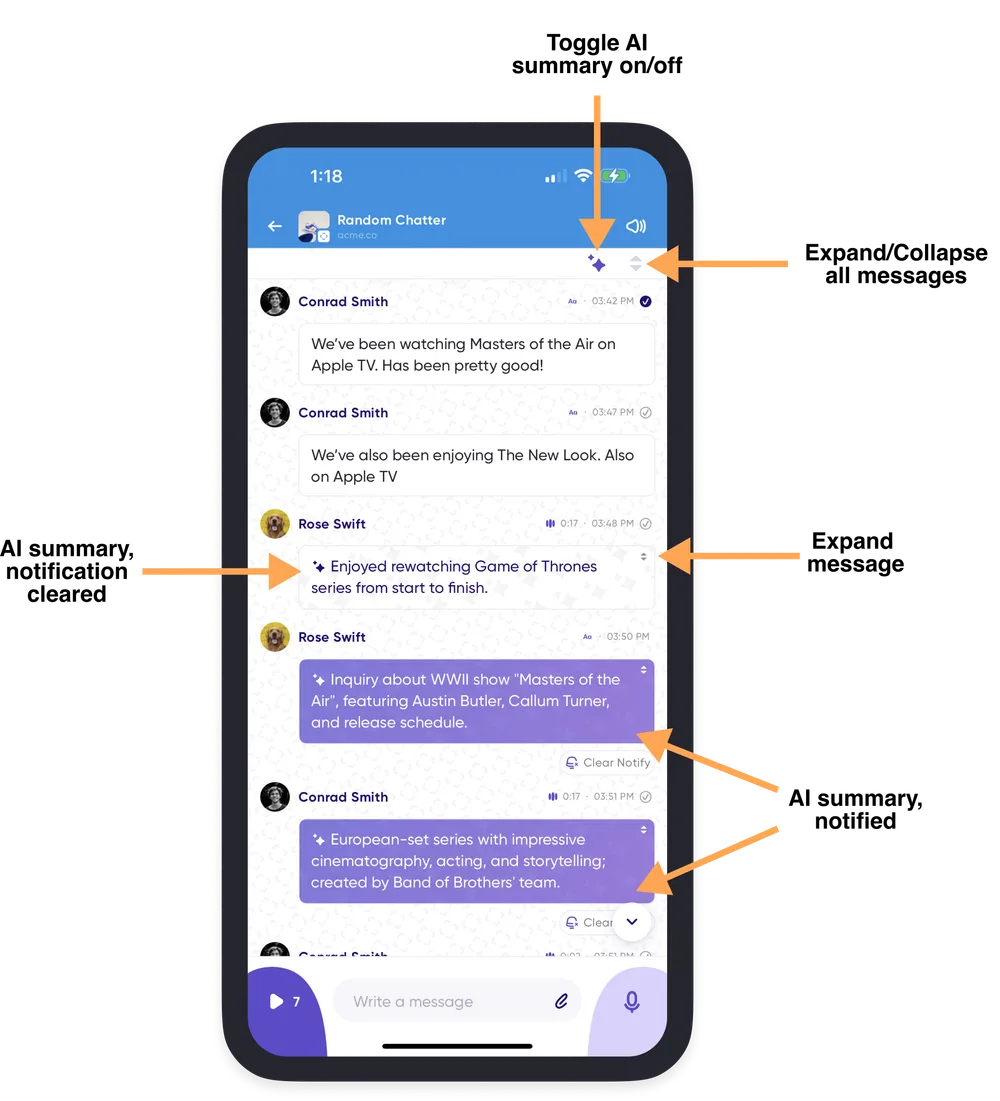
Inside any conversation, tap the summarize icon in the upper right corner and choose how much you want to see:
- AI Only — replaces each message with its summary.
- AI + Message — shows the summary alongside the full transcript.
Either way you get a summarized version of every message longer than 100 characters. Choosing the same option again turns summaries back off.
Reading the full message
If something catches your interest, switch to AI + Message, or tap the expanding arrows on that message to reveal the full transcript.
Turning summaries off
AI summaries are on for all conversations by default. To turn them off, go to Profile Menu → Settings → Conversation History. See Conversation history settings.