Transform voice memos and messages with AI
Talking is roughly four times faster than typing. AI actions turn a discussion or a voice memo into first-draft content: an email, a to-do list, a blog post, a sales summary, a bug report, a product plan.
The shape of it is always the same:
- Capture with voice — speak naturally and get your thoughts out.
- Structure with AI — turn those thoughts into a first draft.
- Share with anyone — send the structured content wherever it needs to go.

Transforming a single voice memo
- Record your voice memo as usual.
- Go to the Voice Memos tab and find the memo you want to transform.
- Tap the memo to open its message details.
- Select an AI action from the drop-down at the top of the screen.
- Copy or share the output once it's generated.
Transforming several messages at once
To turn a discussion or a set of voice memos into a presentation outline, a meeting summary with action items, or anything else:
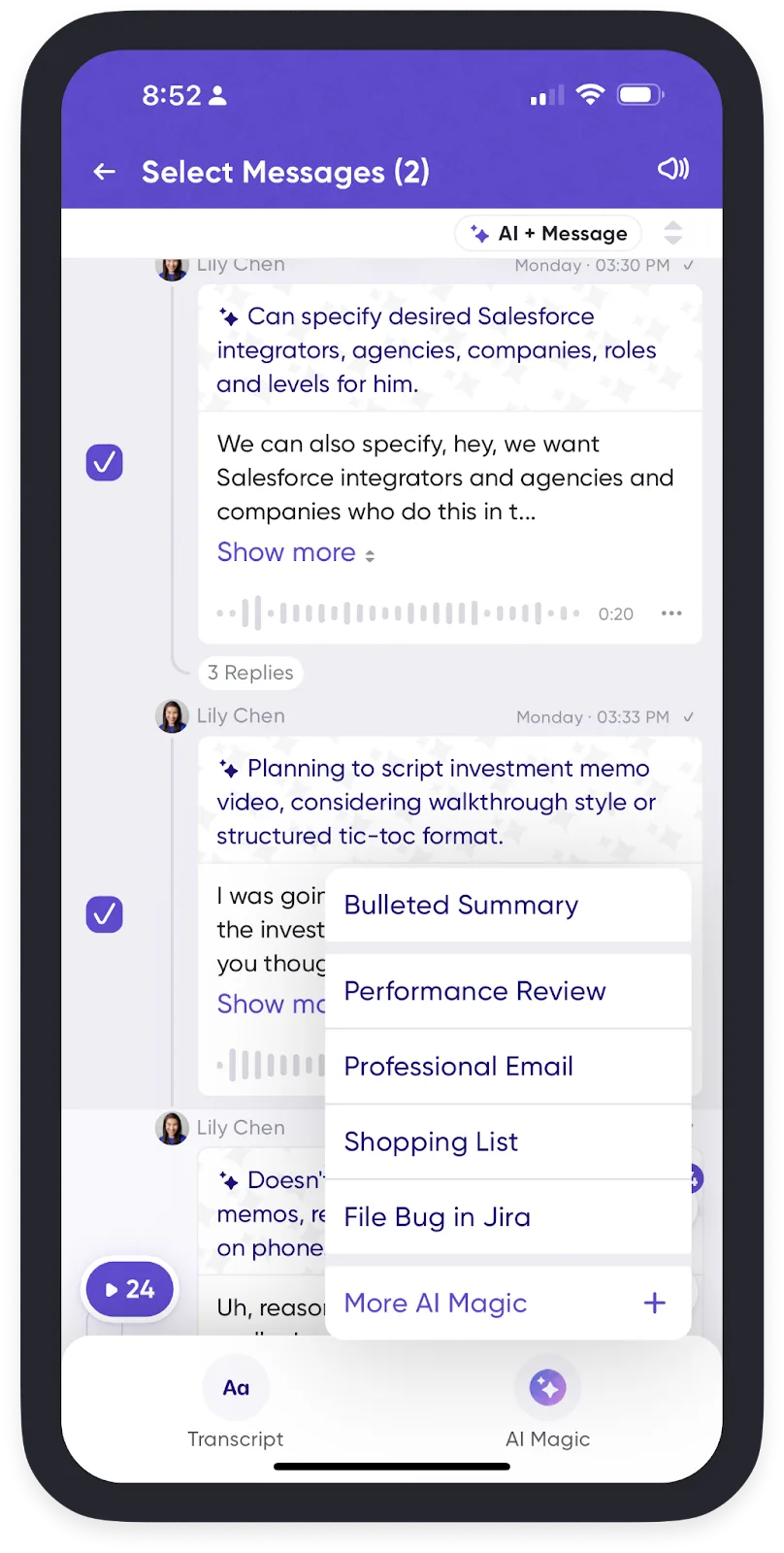
- Press and hold any voice memo or message in a conversation.
- Tap Select to choose multiple messages.
- Choose your AI Magic prompt.
The ones people use most
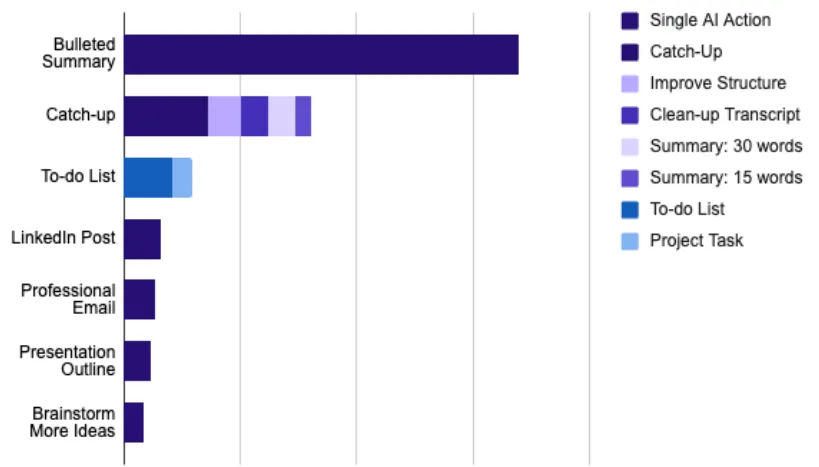
There are more than 40 built-in actions. These are the ones that get used the most, and what each actually does:
| Action | Good for | What it does |
|---|---|---|
| Bulleted Summary | A long message that arrived while you were busy | Pulls out the points and drops the filler |
| Catch-up | Seeing what you missed in an active conversation | Summarizes across several messages, with takeaways and action items |
| Improve Structure | A rambling brainstorm | Regroups related ideas so it flows |
| Clean-up Transcript | Something you'll paste elsewhere | Fixes grammar and removes filler, keeping your phrasing |
| To-do List | Follow-ups captured on the move | Finds the actionable parts and orders them |
| Presentation Outline | Talking through a deck | Slide titles, key points, and suggested visuals |
| Professional Email | A rough sense of what to say | A clear, sendable draft |
| LinkedIn Post | An insight that arrived away from your desk | A structured post with hashtag suggestions |
| Brainstorm More Ideas | Being stuck | Reads the discussion and suggests directions to build on |
That last one is worth singling out: it generates new ideas rather than reformatting the ones you had.
If none of them fits, write your own prompt.
Finding past results
To see previous AI Magic results across a conversation, open AI Chat from the summarize icon at the top right. Every AI result you've generated anywhere in the app is also collected in Notebook → AI Outputs.
Related
- Voice Memos
- Connect Zapier to send AI-processed memos into the rest of your workflow automatically.