Conversation history settings
These settings control how messages appear in your conversation feed. All of them live under Profile Menu → Settings → Conversation History.
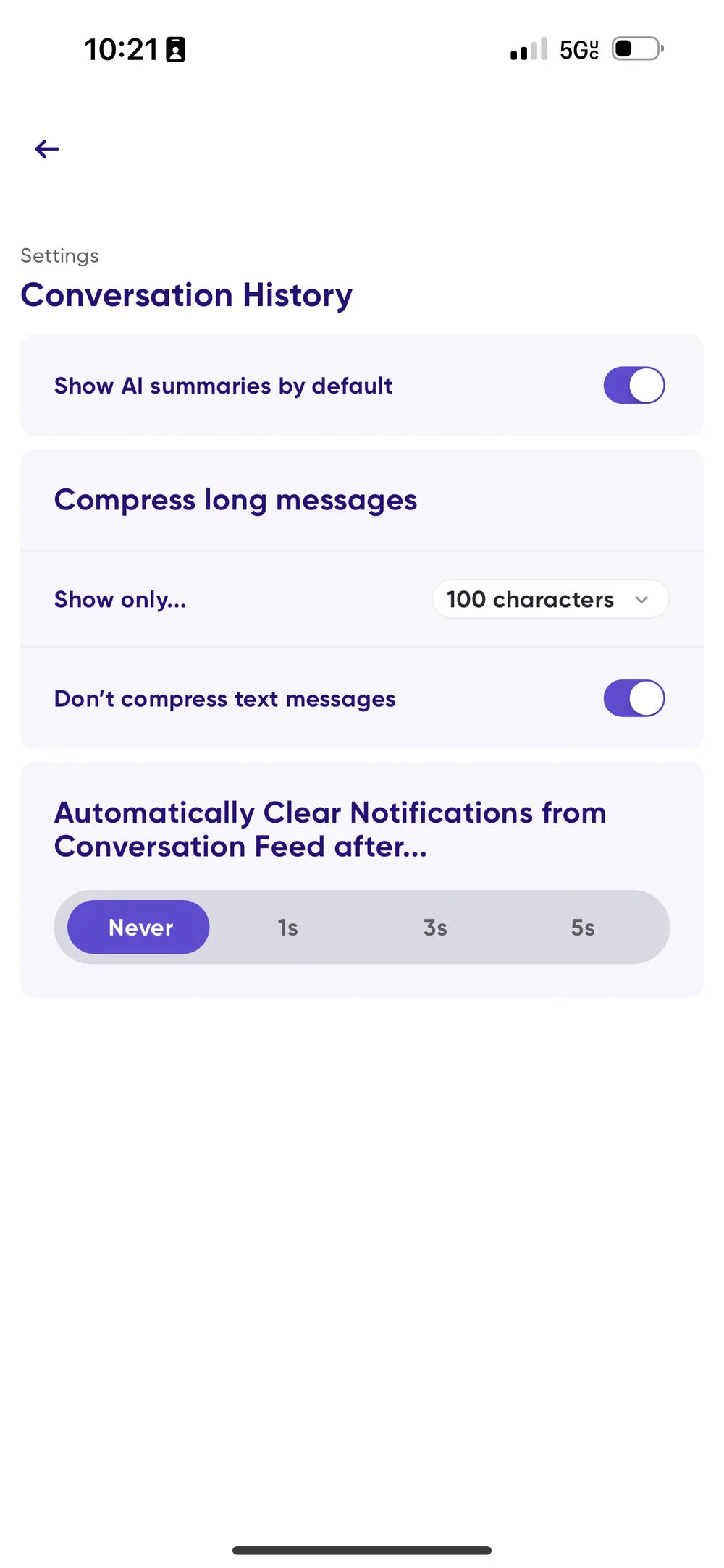
Managing longer messages
Long messages can be cumbersome to scan, so you can control how much of them you see.
- Go to Profile Menu → Settings → Conversation History.
- Under Show only…, select the character count for message previews.
- Optionally, toggle on Don't compress text messages.
📺 Watch: managing longer messages
AI summaries for longer messages
By default, every message longer than 100 characters gets an instant AI summary, so you can grasp the main points without reading the full text. Tap the expanding arrows on a message to read the full transcript, or tap to listen.
To turn AI summaries off across all conversations:
- Go to Profile Menu → Settings → Conversation History.
- Toggle off Show AI Summaries by default.
📺 Watch: turning off AI summaries
What tapping a message does
It used to be easy to start playback by accident. You can now choose what tapping a message card does, under Message Tap Action:
- Play Message — tapping a text or audio message plays it.
- Open Message — tapping opens message details instead. Text messages can be played from inside, and Play All still catches you up on everything unread.
- Do Nothing — tapping the body does nothing. Swipe right to left to open the message, or use the play button.
Audio messages carry a play button in the lower left whichever option you choose, so there's always somewhere deliberate to tap.
Clearing unread messages automatically
You can decide how and when unread messages clear from your conversation feed, either manually for more control, or automatically to keep the feed tidy.
- Go to Profile Menu → Settings → Conversation History.
- Find Automatically Clear Notifications from Conversation Feed after….
- Choose a time frame, from never clearing automatically through to various intervals.
If you choose anything other than Never, an unread message clears once you've spent that much time on it.