Reminders
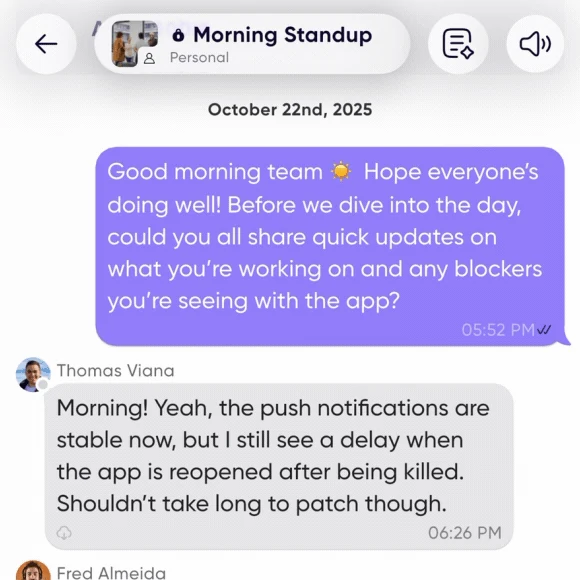
A reminder posts a message into a conversation on a schedule. Everyone gets notified, everyone answers when it suits them, and the recurring update happens without anyone having to start it.
This is what replaces the standing meeting. Cancelling a meeting is easy; the hard part is that the calendar invite was the nudge. A reminder is the nudge.
Setting one up
- In a new conversation — tap Reminders at the top of the conversation information block.
- In an existing conversation — tap the conversation name to open Settings, scroll to Reminders, and create one there.
Write the prompt you want posted, then choose when it repeats: daily, on particular days of the week, or monthly on a given date, at a time you set.
You can edit or delete a reminder later from the same place.
What teams replace with them
| Instead of | Reminder | When |
|---|---|---|
| Daily stand-up | "What are you working on today?" | Every morning at 9am |
| Weekly 1:1 | "How are you? Wins, blockers, and what do you need from me?" | Friday afternoon |
| Weekly kickoff | "What do you want to accomplish this week?" | Monday at 8am |
| Week review | "What got done this week, and what's carrying over?" | Friday at 4pm |
| Client check-in | "Project status update." | The 15th of each month |
Team rituals work too: Monday motivation, Friday wins, end-of-month reflections.
Pair them with engagement
A reminder is the nudge; engagement stats are the accountability. Together they cover what the meeting was actually providing.
Related
- Run an async meeting — for a discussion with a deadline rather than a repeating prompt.
- Access and sharing settings