See if someone has read or listened
Wondering whether someone in your conversation has seen or heard your message? You can check engagement details on any message you've sent.
Check marks at a glance
Look at the bottom-right corner of your message card in the conversation:
| What you see | What it means |
|---|---|
| No check mark | The message isn't sent or fully processed yet. |
| Single gray check | Sent and active, but nobody has read or listened yet. |
| Double gray check | Some people have engaged — listened, or cleared the notification. |
| Dark purple double check | Everyone in the conversation has read or listened. |
"Caught up" means someone either listened to the message or cleared the notification. Both count as engagement.
Detailed engagement info
- Go to the conversation containing the message.
- Find your message card.
- Swipe the card from right to left, or tap the message to open message info.
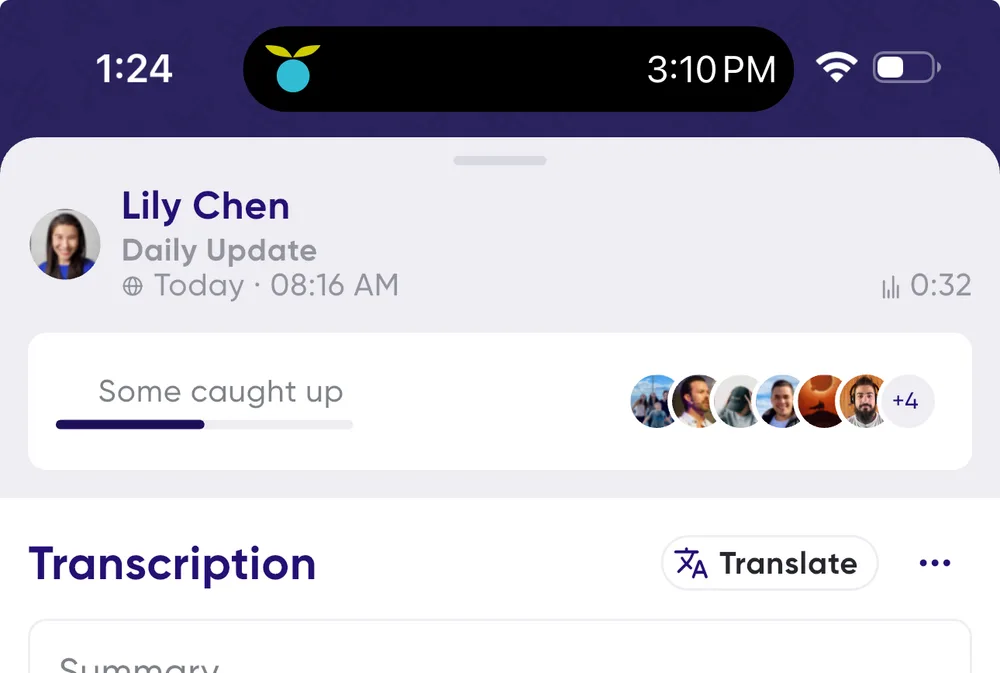
At the top of message info is the Engagement Status card:
- All caught up — every recipient has read or listened.
- Some caught up — only some participants have engaged.
- None caught up — nobody has read or listened yet.
Per-person detail
Tap the engagement bar to expand it for a breakdown of each person:
- % heard — how much of the message they listened to.
- Notified cleared — they cleared the notification, which counts as a read.
- Unread — they haven't read or listened yet.
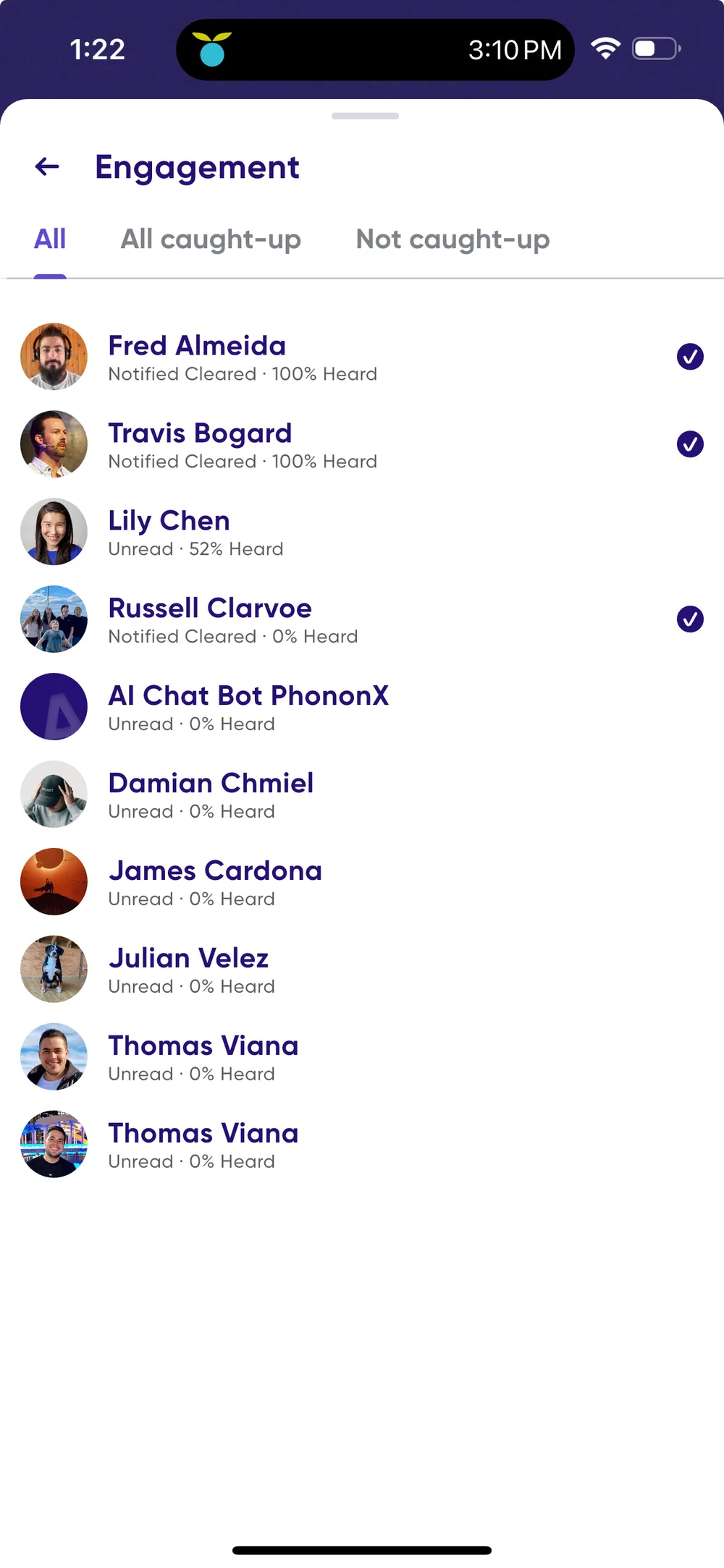
So "Notified Cleared · 80% heard" means they listened to most of it and cleared the notification, while "Unread · 0% heard" means they haven't engaged at all.
Clearing a notification counts as read; listening counts as heard. Tracking both tells you who is caught up, and how.