Managing access and adding people
As a conversation owner or admin, you can manage access from Conversation Settings.
Set who can join
- Tap the conversation name at the top of the conversation screen.
- In the About section, use the drop-down next to Who can join:
- Anyone with link — anyone who has the conversation link can join.
- Only workspace members — anyone in the same workspace or domain can find and join.
- Only added members — only people you add can join.
Add people
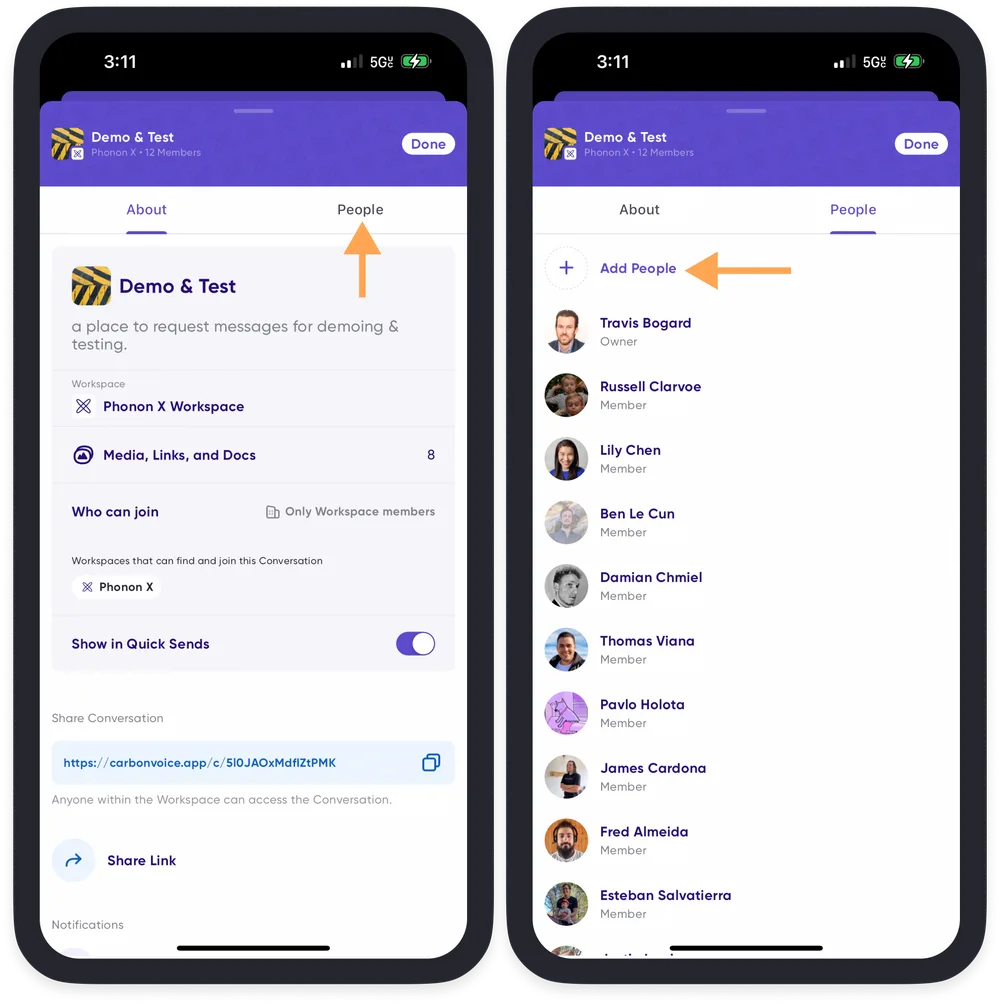
- Tap the conversation name at the top of the conversation screen.
- Tap the People tab.
- Tap Add People, then add someone by name from the list, or by email address or phone number.