Playlists and labels
Label messages to manage follow-up and find them again later. Putting a label on a message can add it to a playlist, which shows at the top of your home screen, or you can label a message simply to find it in Notebook.
Add a label
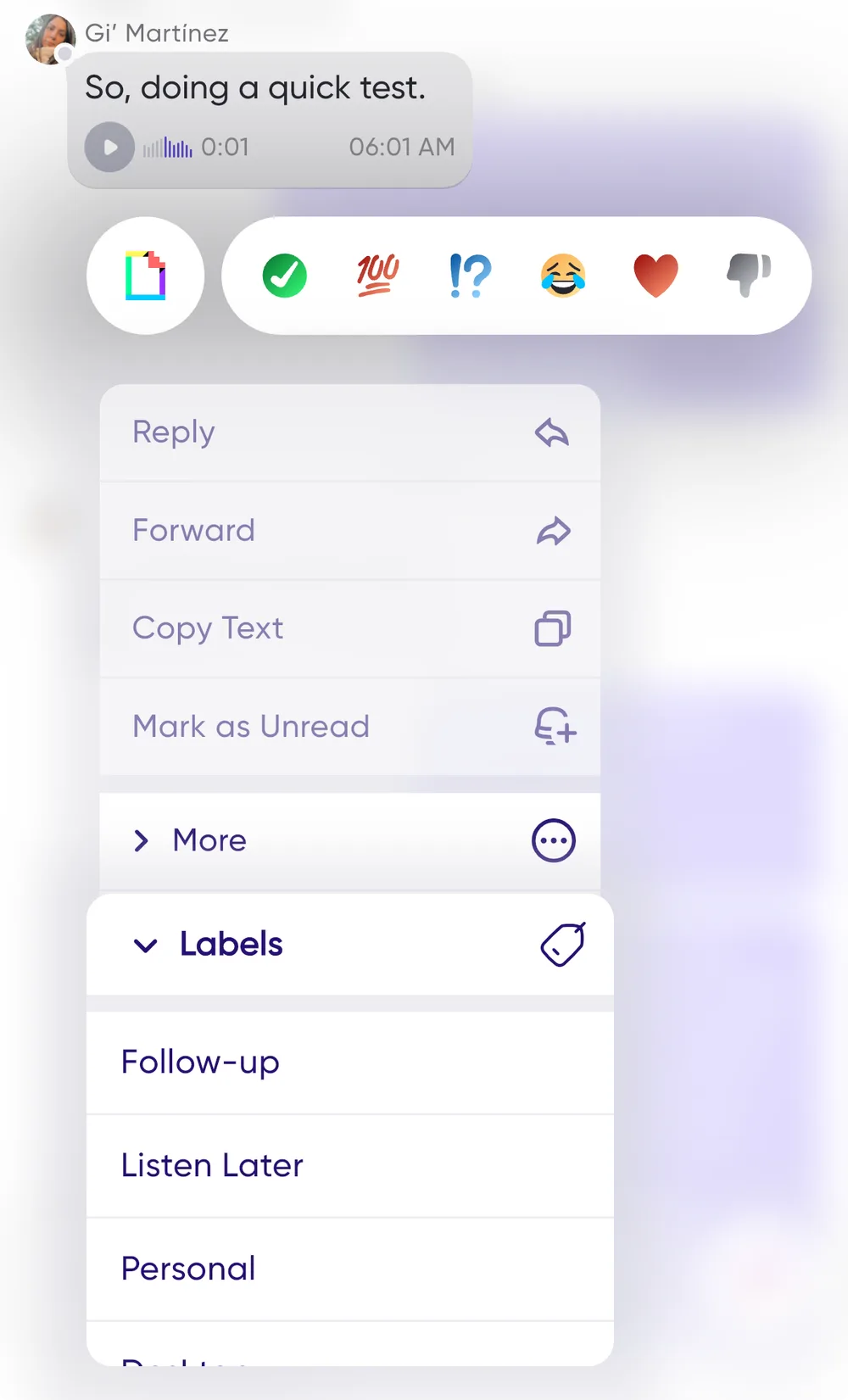
Press and hold on a message, select Labels, then choose the labels you want to apply.
Labels as a trigger
Because press and hold sets a label in a couple of taps, labelling doubles as a manual trigger you control: label a message Bug Report and a Jira issue can be created, label it CRM Update and a note lands in Salesforce. See Zapier.
Manage labels and playlists
To control which labels create playlists, or to add new ones, go to Notebook → Labels → 3-dot menu → Manage Labels.
Related
Labels are also a good way to kick off automated workflows with Zapier.