Obsidian
The Carbon Voice Sync community plugin pulls your conversations and voice memos into an Obsidian vault as Markdown notes, so everything you've said lives alongside everything you've written.
It's a one-way sync: Carbon Voice into Obsidian. Nothing you write in the vault comes back.
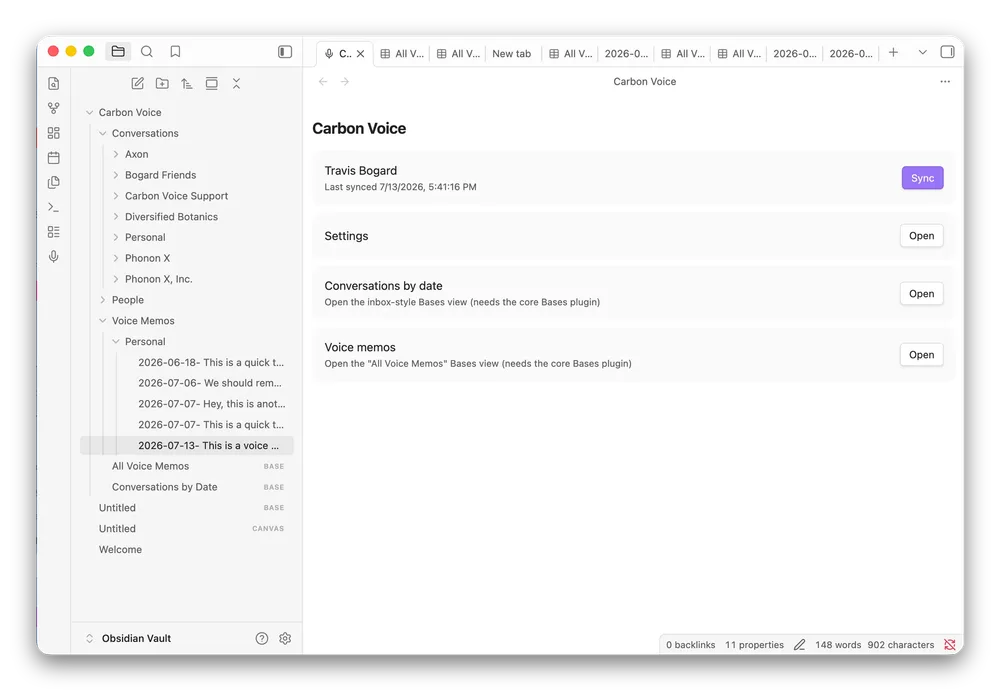
What lands in the vault
- Conversations, with their transcripts.
- Voice memos, with their AI summaries.
- Participant and workspace metadata, as
[[wiki links]], so people and workspaces become nodes in your graph. - Audio, embedded and playable in the note, with the option to download for offline.
Setting it up
- Create a personal access token. In Carbon Voice, go to Profile Menu → Integrations → Integration Credentials → Manage tokens and create one. Copy it, because it's only shown once. See Integration credentials.
- Install the plugin. In Obsidian, go to Settings → Community plugins, browse for Carbon Voice Sync, and install it.
- Paste the token into the plugin's settings. It's stored in your vault and sent only to Carbon Voice.
- Choose what to sync and run it.
The plugin works on both desktop and mobile Obsidian.
What you can configure
- Scope — everything, particular workspaces, or conversations you pick by hand.
- How far back — 7, 30, 90 or 365 days, or all of it.
- How often — background sync on an interval, and optionally on startup.
Why people do this
The common pattern is a "second brain": capture ideas by talking, let them sync into the vault, and point an AI assistant at the vault so it answers with fuller context of you. Carbon Voice is unusually good at the capture step because the material is a byproduct of conversations you were having anyway.
See Getting your content to an AI for how this compares with connecting an assistant directly over MCP.