Connect a domain to your workspace
Connecting a domain makes it easier for teammates to find and join your workspace. When someone logs in with an email address matching your connected domain, they see joining options based on the rules you set.
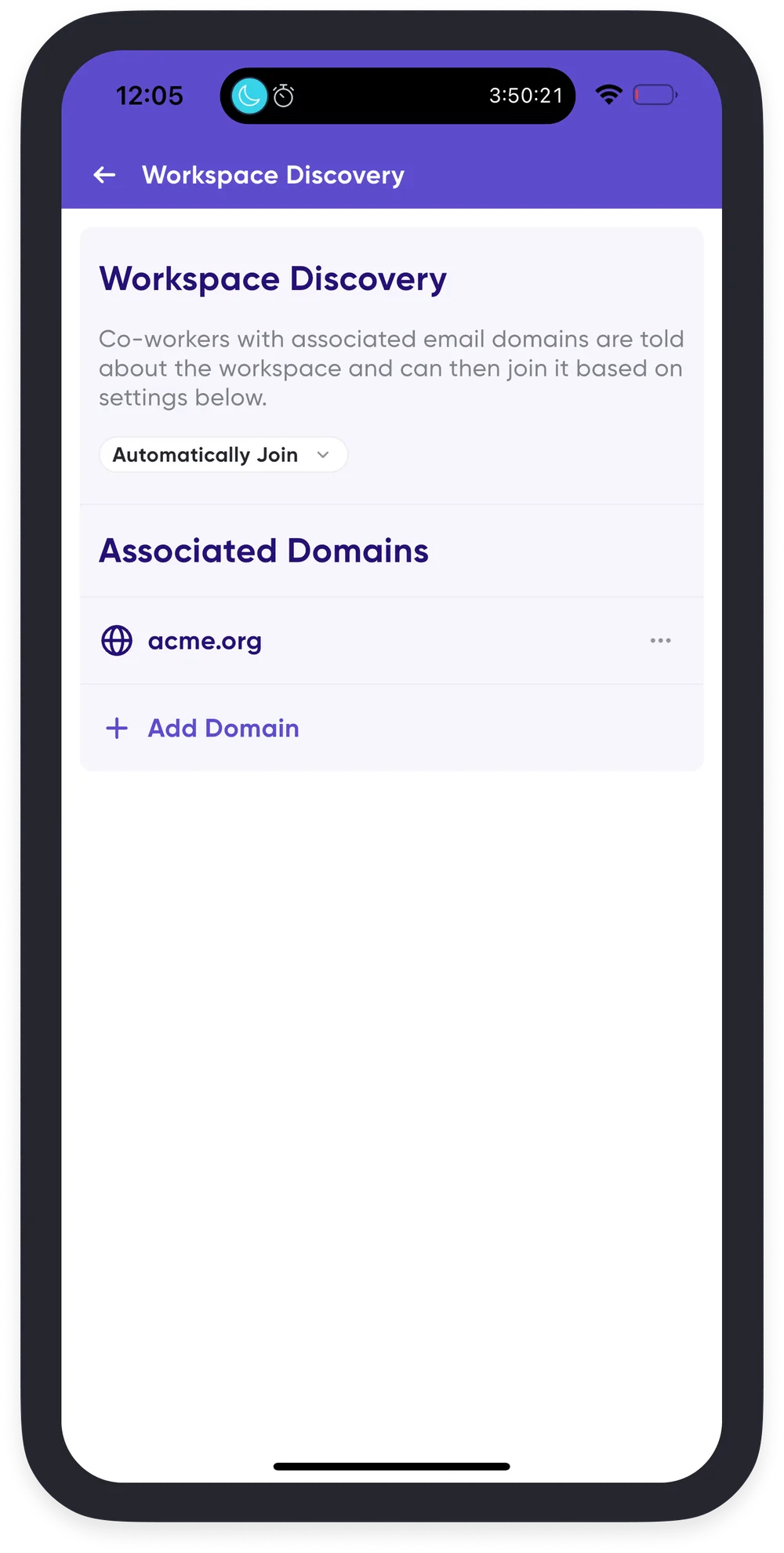
Join preferences
You choose what happens when someone with a matching domain signs in:
- Do not inform — no notification; you add members manually.
- Auto-join — anyone with a matching domain is added automatically.
- Request to join — they can request access, and an admin approves it.
- Custom instructions — show your own message explaining how to join, such as pointing them at an internal form or a Slack channel.
For a new workspace
Step 2 of workspace creation guides you through associating your company domains and choosing these settings. See Create a workspace for your team.
For an existing workspace
- Open your Profile Menu, which is your profile picture at the top left of Home on mobile, or the bottom of the navigation sidebar on desktop.
- Tap Spaces, then the gear icon to the right of your workspace.
- In Workspace Settings, tap Admin Controls.
- Select Workspace Discovery.
- Tap the ➕ button to add a domain.
- Use the dropdown to choose the join preference for that domain.