Roles and access controls
Workspace owners and admins can assign roles and control who is allowed to bring new people in.
Assigning a role
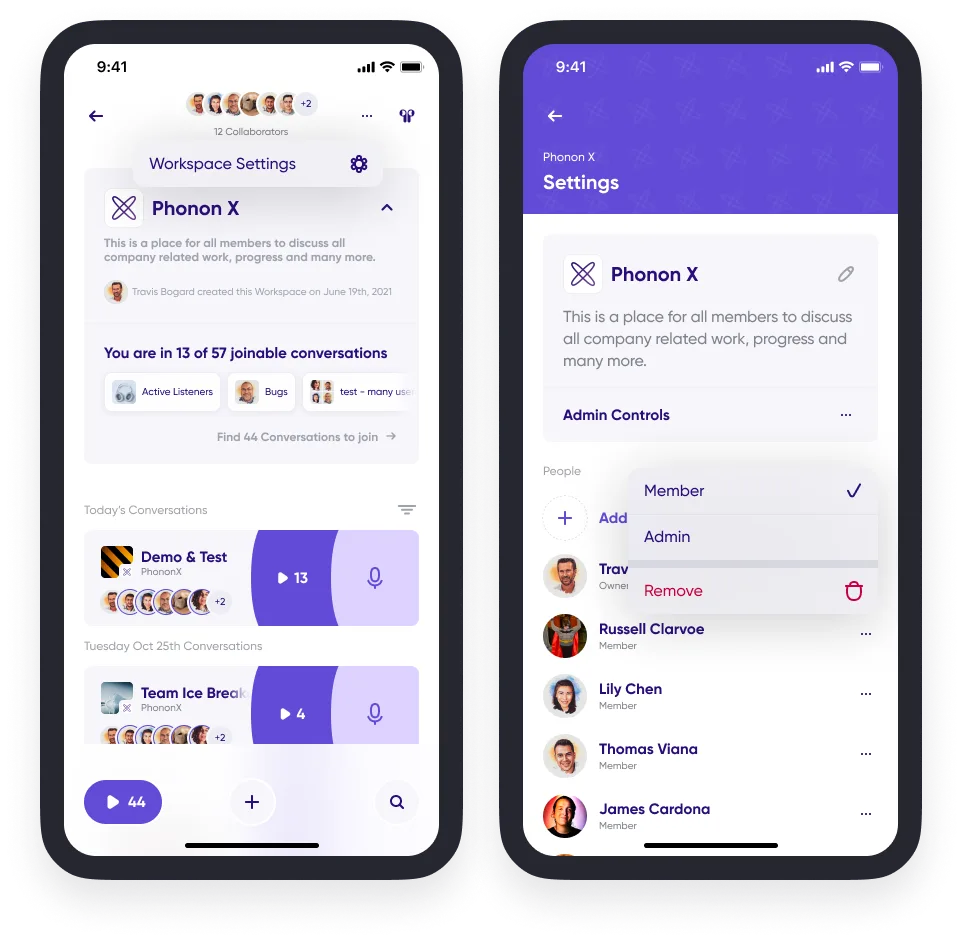
- Tap your profile picture on Home and go to Spaces from the main menu.
- Choose a workspace where you are an admin or the owner.
- Tap the "…" in the upper right corner for Workspace Settings.
- Tap the "…" next to any member's name and set their role: Member or Admin.
Controlling who can invite people
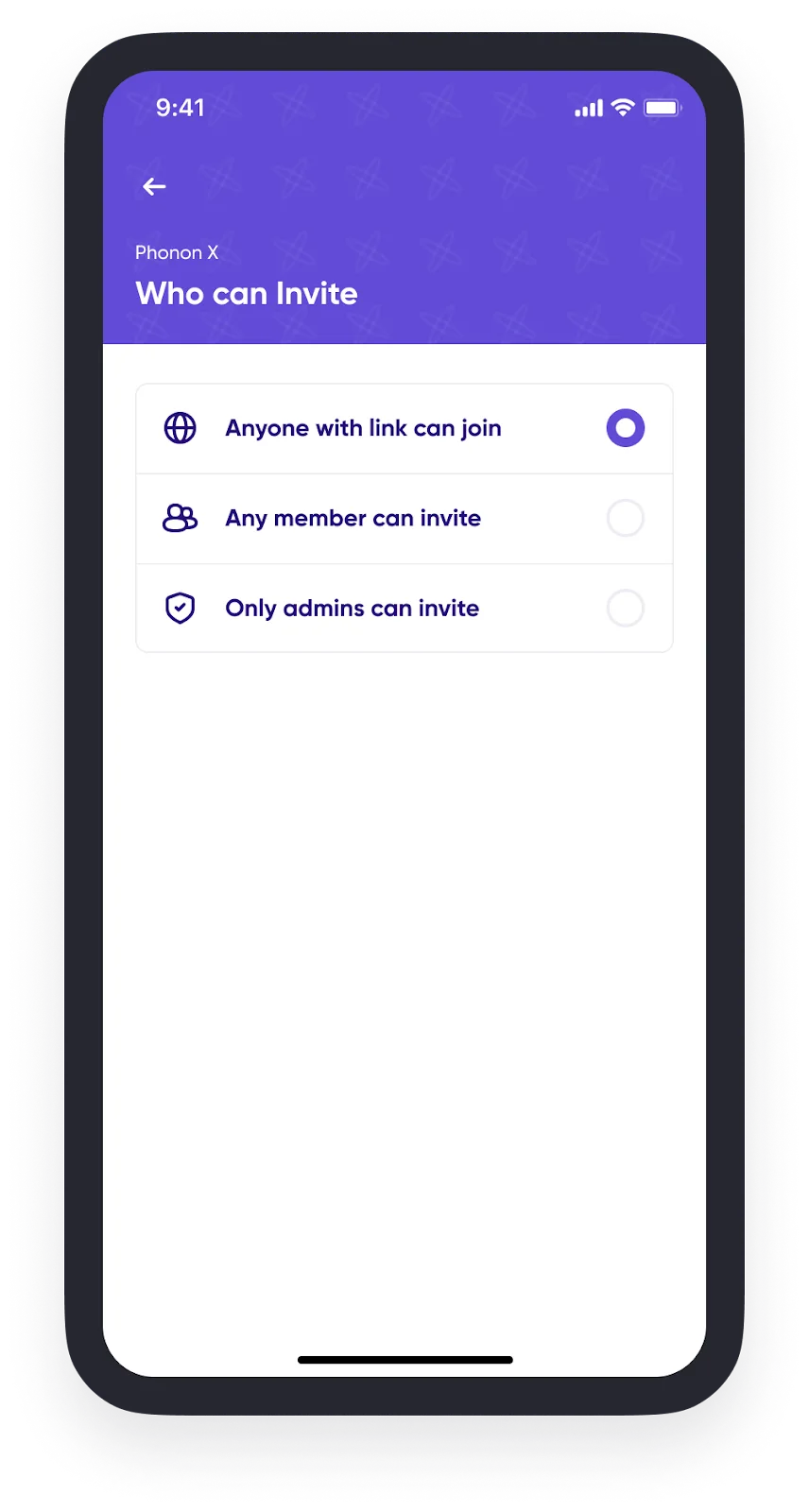
- Go to the Spaces tab from Home.
- Choose a workspace where you are an admin or the owner.
- Tap the "…" in the upper right corner for Workspace Settings.
- Tap Admin Controls.
- Set the invite access controls for workspace members and admins.