Message forwarding
Forwarding lets you share information across conversations, so an idea from one discussion can reach another.
Forwarding a message
When you forward a message, recipients can read or listen to it even if they weren't in the original conversation. If they do have access to that conversation, a link back is shown so they can jump to the original message and see its context.
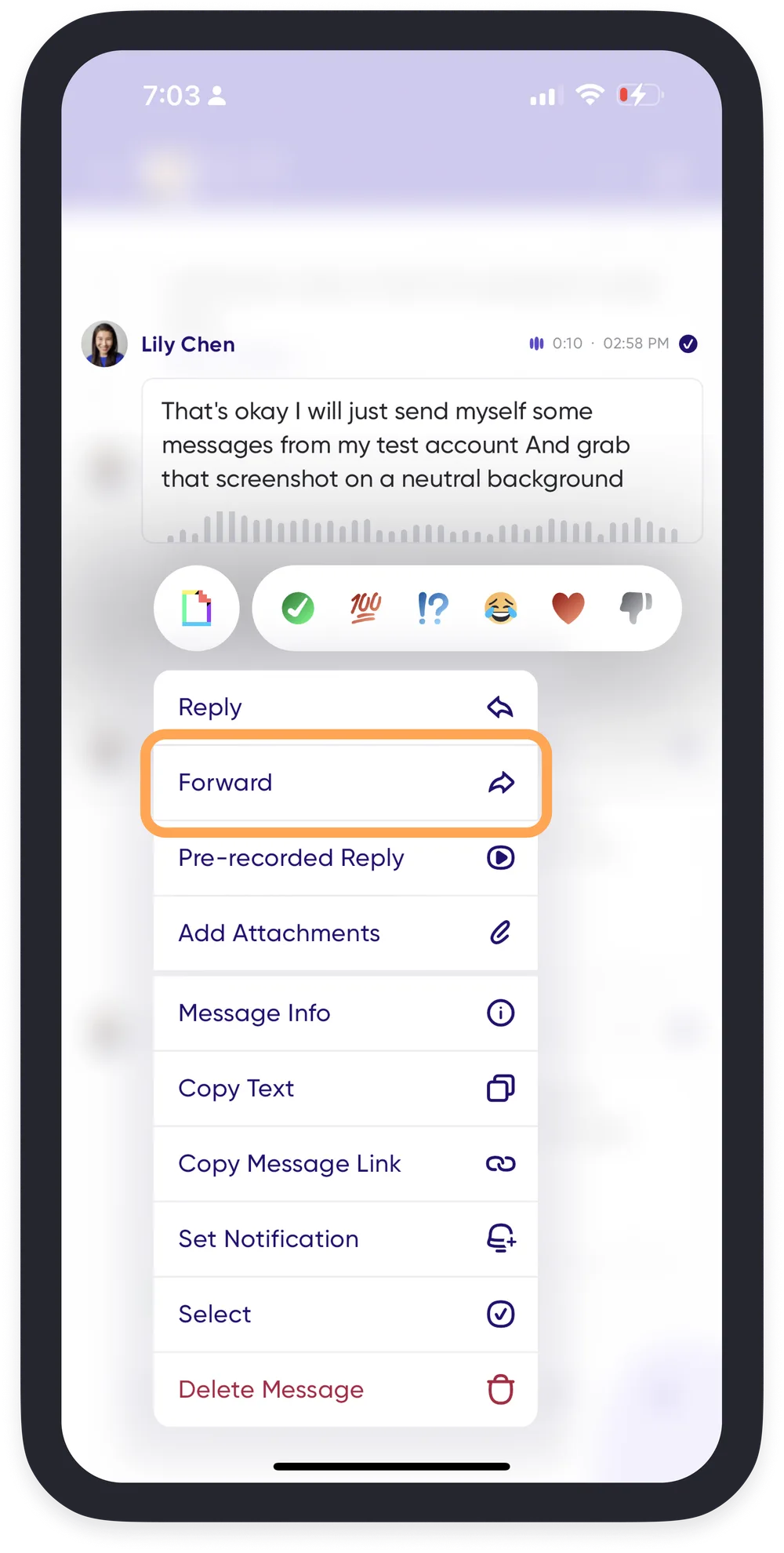
- Press and hold on the message you want to forward.
- Select Forward.
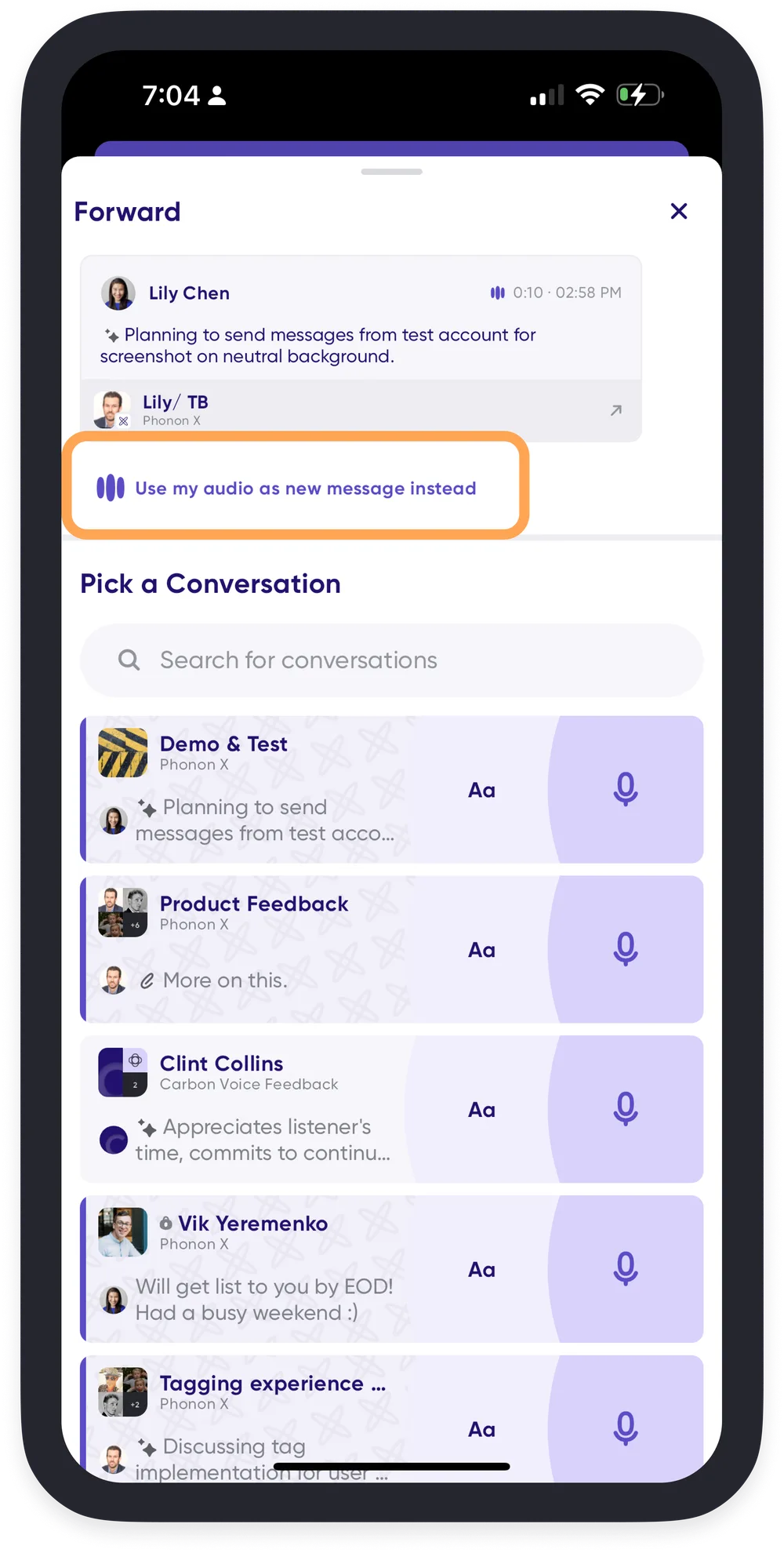
- Choose the conversation to forward it to.
Sending it as a new message instead
You can also send one of your own messages somewhere else as a brand new message, without saving it as a saved voice memo first. When forwarding your own message, choose Use my audio as new message instead. It's sent with the original audio and text, but without a link back to where it was first sent.
A saved voice memo is still the better choice for something you send often.
Transparency alerts
Carbon Voice notifies the owner of a message whenever it is forwarded, so you always know how your messages are being shared.