Play new messages
Play New Messages is a one-tap way to catch up on the messages that need your attention.
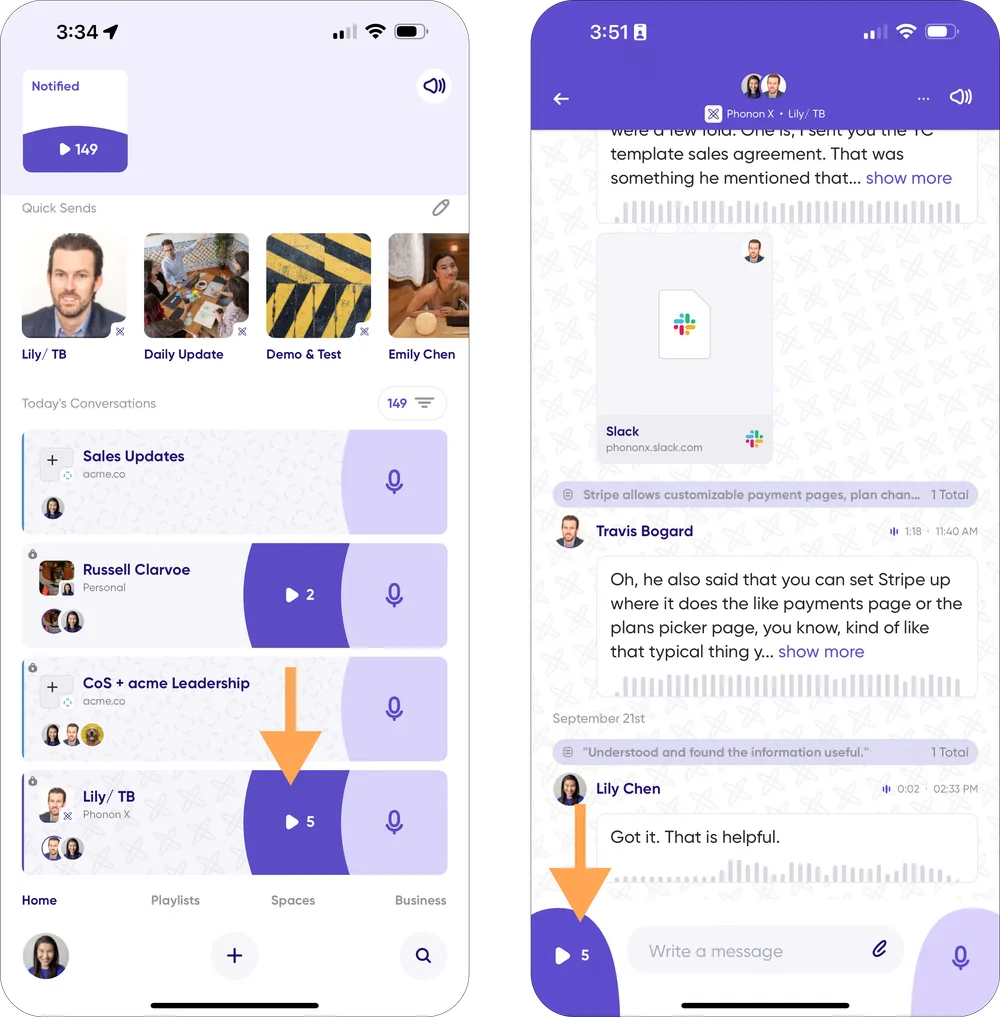
From the Home screen
- Open Carbon Voice and go to the Home screen.
- Find the conversation card with messages needing your attention.
- Tap the purple Play button on the card.
Inside a conversation
- Open the conversation with unread messages.
- Tap the purple Play button in the bottom left corner.
What to expect
Messages play in conversation order, with threaded groups played together, so the context holds together while you listen.
You can skip forwards or backwards during playback, or reply as you go. That's useful when you're walking, driving, or moving between meetings.