Read status, one-tap AI summaries, and Distracted Mode
Your feedback inspired some big changes. This release adds the things you've come to expect from any communication tool, plus a few that only make sense in a voice-first one.
Read and listen status
You can now see who has caught up on a message — whether it's been seen, heard, or both. Open message information by pressing and holding a message card and selecting Message Info, by tapping the message's timestamp, or by tapping ⋯ from the in-line player.
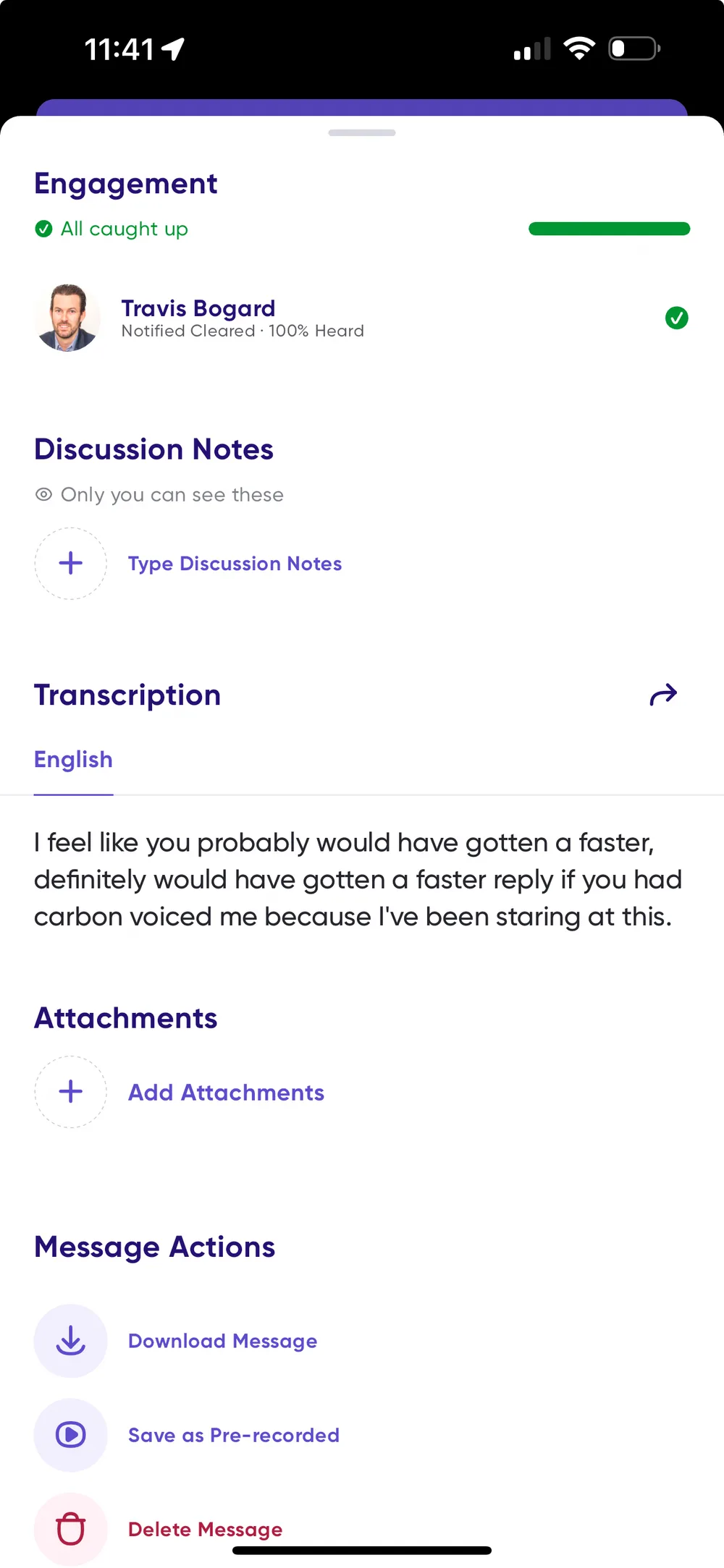
Someone is Caught Up on a message once they've either cleared its notification or listened to it. A solid purple check mark appears next to their name when they are.
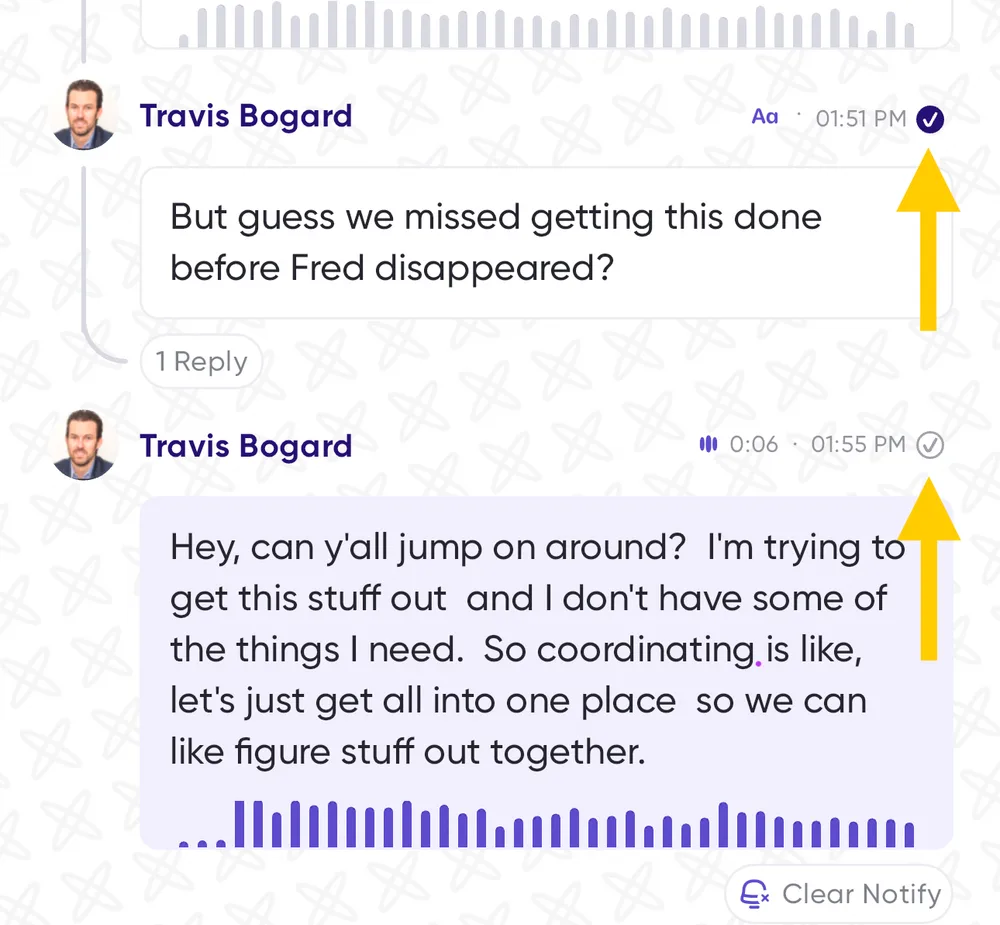
In the conversation feed:
- A gray check mark means at least one person is caught up.
- A solid purple check mark means everyone in the conversation is.
One-tap AI summaries
Tap the AI button in the top-right of any conversation to get a summarized version of its messages, so you can grasp the main points without reading everything. If one message deserves a closer look, tap Show transcription on it to see the full text.
Expand all transcriptions at once
Messages can be long. Tap the expanding arrows at the top of a conversation to expand every message card and read the whole conversation without tapping "show more" on each one. The same icon collapses them all again.
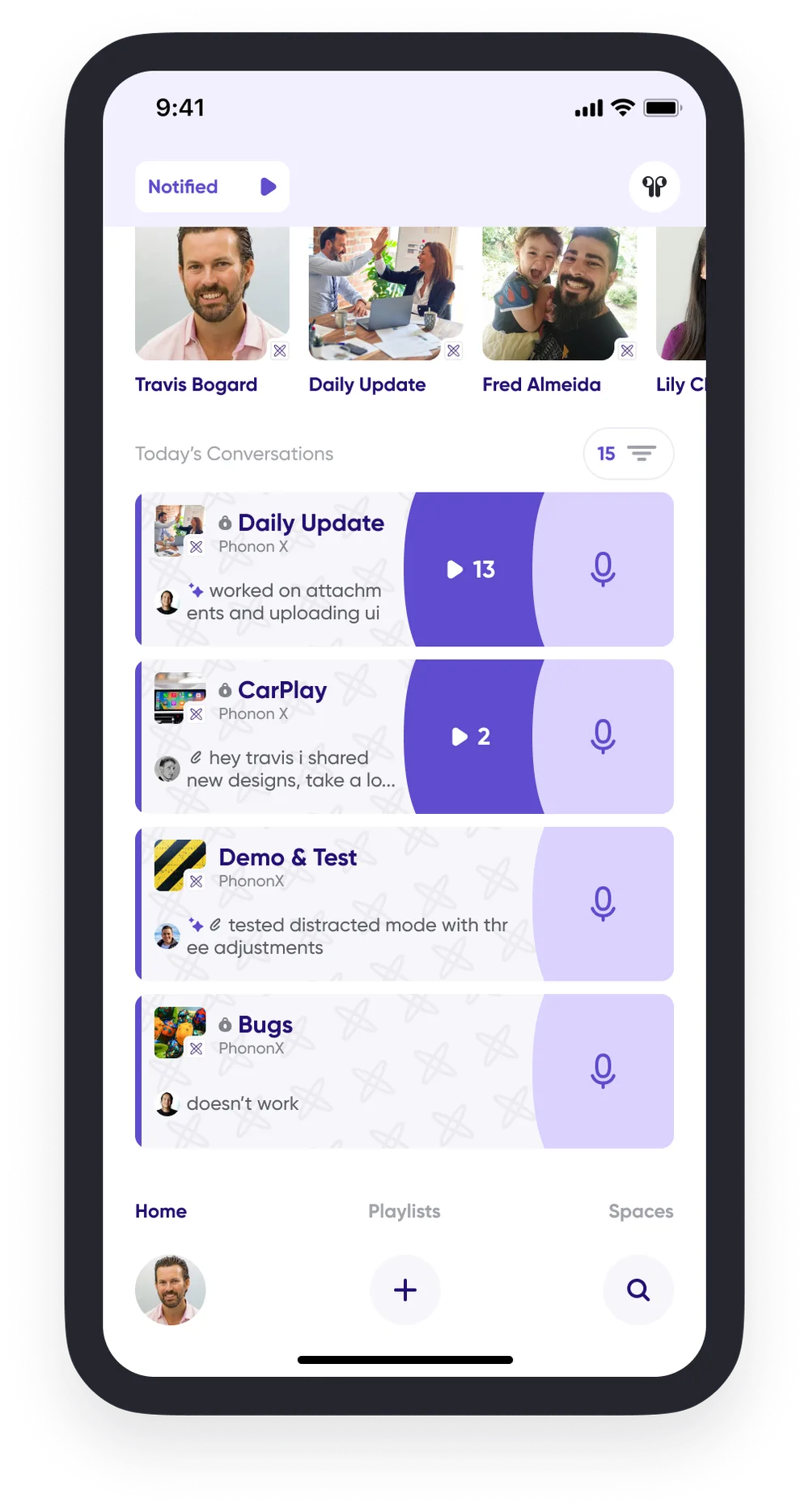
Message previews on the home screen
Conversation cards now show a preview of the most recent message sent, so you can get a snapshot of what's waiting without opening anything.
In-line playback
Tap a message in a conversation to play it right there in the flow of the conversation. From the in-line player you can:
- Switch to Distracted Mode with the button that floats across the top of the conversation.
- See detailed message info by tapping ⋯ — full transcript, labels, and engagement stats.
- Reply with the microphone icon, or swipe right to left on the message to switch to text.
Tap the ✕ on the player to close it and send a new top-level message instead of a reply.
Distracted Mode
Distracted Mode is a simplified player with larger buttons and a decluttered screen, built for the times you're multitasking and can't focus on your phone.
To get in, tap Play Notified on any conversation card from the home screen, or tap the Distracted Mode icon at the top of a conversation. While you're there, tap ⋯ for message details, or apply a Follow-up label with the label icon beside it so you can find the message again later.
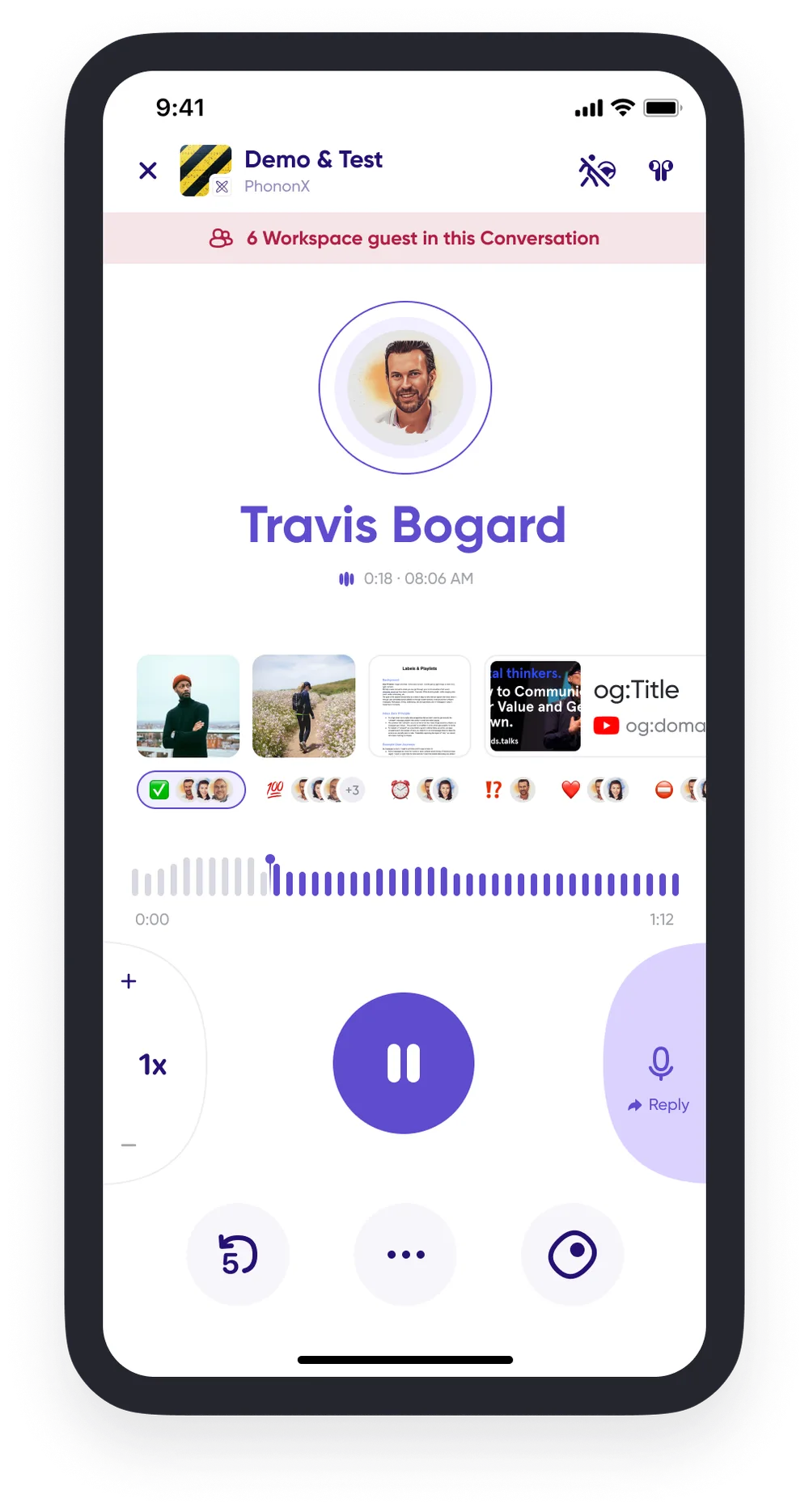
To get out, tap ✕ to exit and stop playback, or tap the Distracted Mode icon to return to the in-line player with the message still playing.
Easier conversation navigation
Open a conversation with notified messages and tap the smart navigation arrow in the bottom-right to jump to the oldest notified message, so you can start catching up without scrolling to find your place. Tap it again to jump to the most recent message.
The arrows at the top of the feed move you between messages one at a time — useful for working through notified messages without endless scrolling.
Notification inbox
Your inbox is where you're notified about important messages, workspace and conversation invites, and other updates. Find it by opening the Profile Menu and tapping the alert bell in the top-right — both show a red dot when something new is waiting.
It's organized into All, Workspace, Mentions, Carbon Voice, Security Updates, and General.
A few things moved
Because this release made room for more messages on screen, some controls changed places:
- To pause playback, tap the message card.
- To reply with text, swipe right to left on the message.
- The full-screen player was reimagined as Distracted Mode, with message details now behind the ⋯ on either player.