A whole new Carbon Voice app
At least it feels that way. We rebuilt the conversation experience around your feedback, and the result is a subtle change that makes conversations feel fresh and much easier to follow.
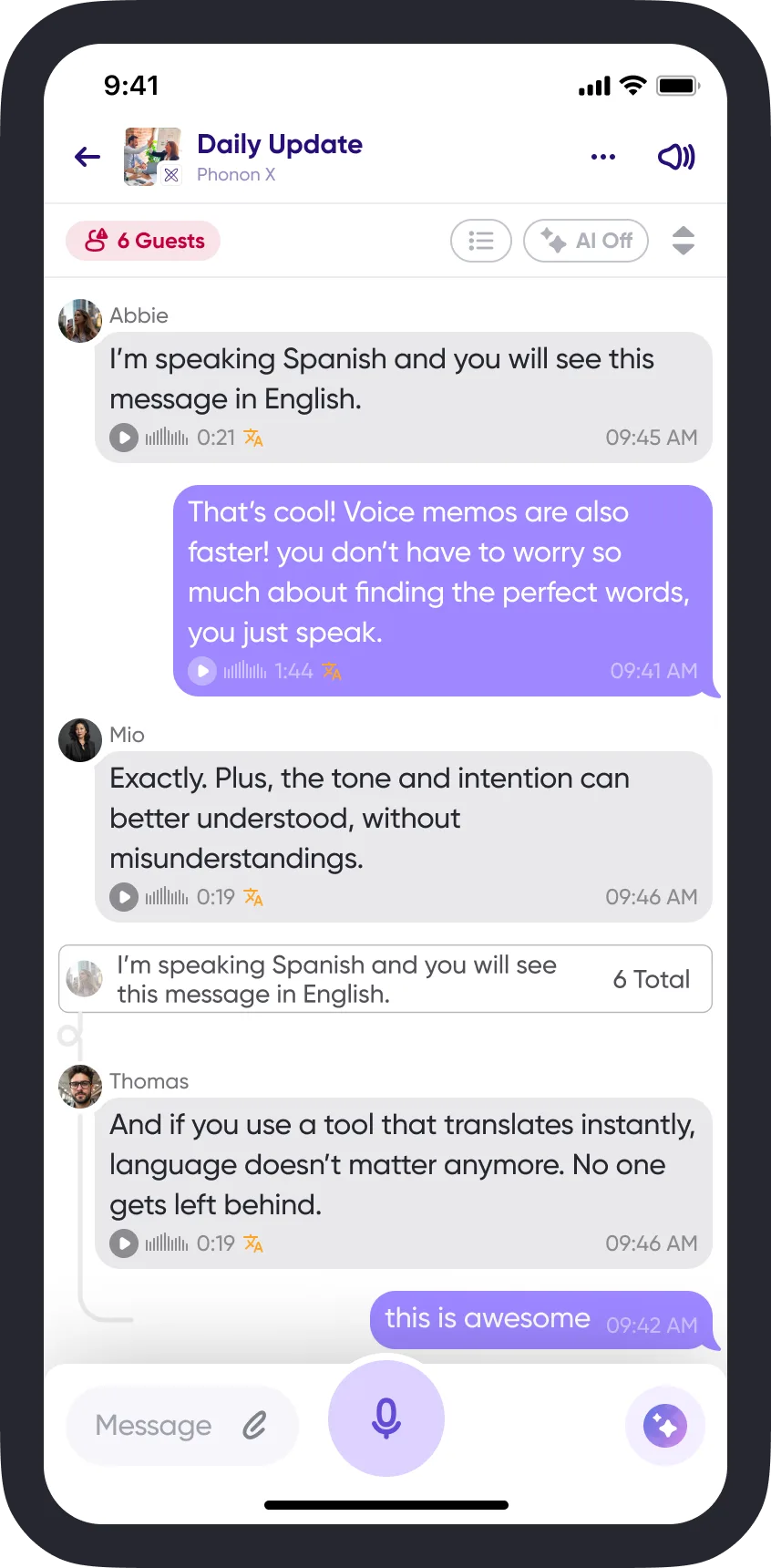
The feedback was consistent: you wanted a chat window that felt more familiar, had less clutter, and made it easier to tell your messages from everyone else's.
Check the App Store or Play Store for the latest version.
A familiar chat window
- Your sent messages are always on the right and shaded purple, so it's easy to scroll and find what you said and the replies to it. Your avatar and name are hidden, which fits more messages on screen.
- Unread and unheard messages are no longer shaded — look for the purple bubble around the timestamp instead.
- The currently playing message is highlighted with a gradient behind it.
Turn discussions into first-draft documents
This update also makes it quicker to get a document out of a discussion:
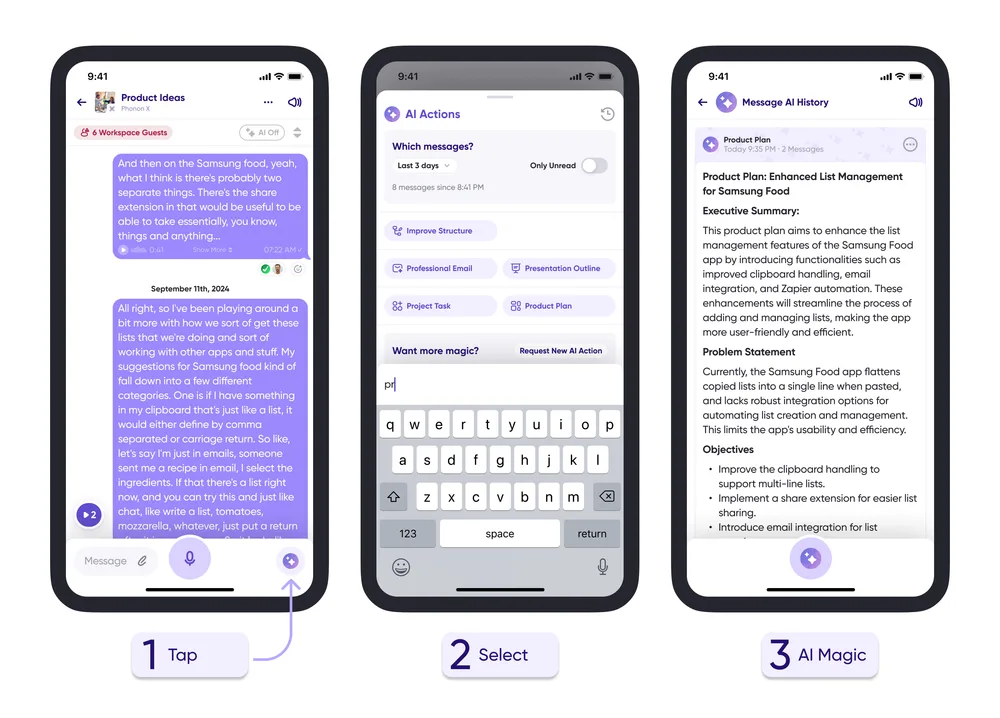
- Tap the AI icon.
- Select the time range and output type.
- Get ready-to-go documentation back.