Previewing Carbon Voice 3.0
Carbon Voice 3.0 is our biggest update yet, available now in preview.
Every conversation holds context, decisions, and next steps — and too often they're lost. 3.0 turns talk into insight, action, and knowledge, so a conversation becomes living documentation and clear next steps instead of ending. Three new tools make that work: AI Chat, Action Items, and Notebook.
AI Chat
Search and ask questions about your conversations and voice memos in a ChatGPT-style interface. Things like:
- "What is James working on?"
- "Is the team blocked by anything?"
- "Create a marketing plan from this conversation."
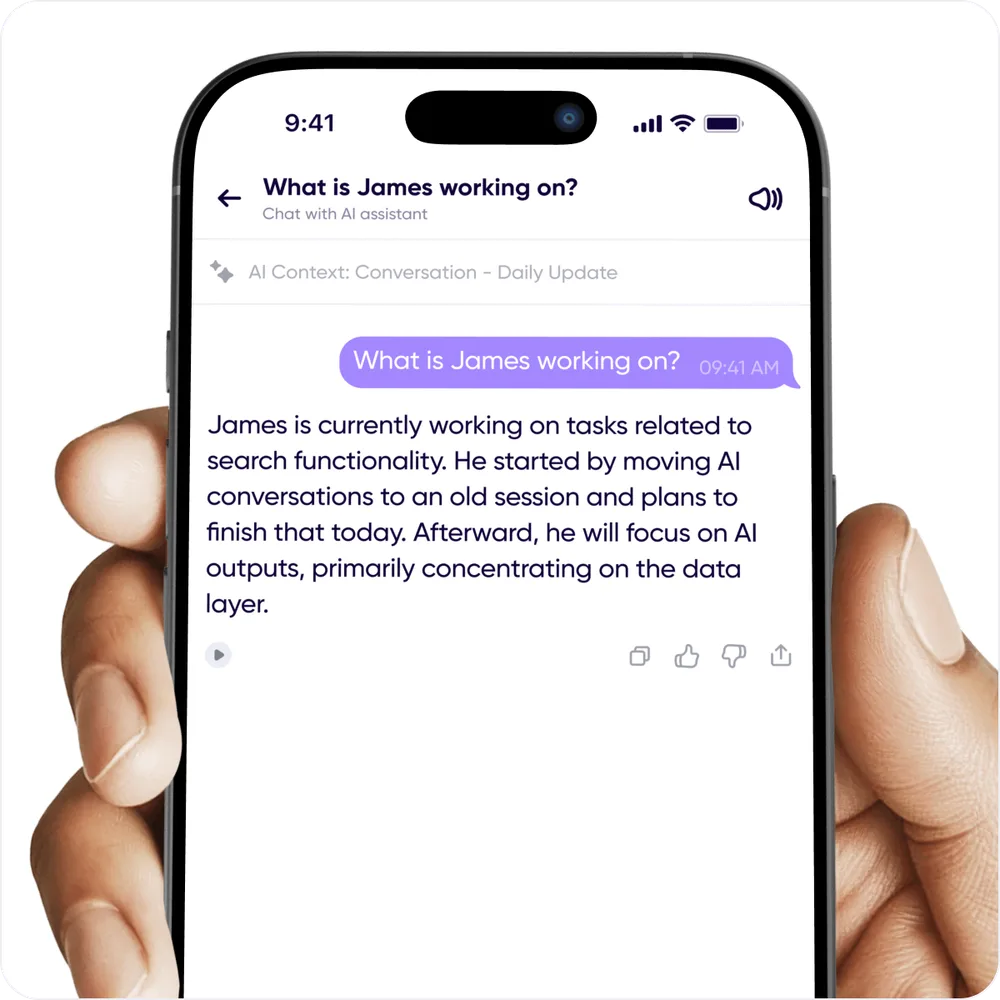
Your conversations become a knowledge base you can query.
You reach AI Chat with the multi-color chat icon in the lower right of a conversation, a voice memo, or Home — and where you open it decides its scope:
- From a conversation — focused on that conversation. Your previous chats about it live in the same place.
- From a voice memo — answers only from that memo. This history lives in global AI Chat.
- From a multi-select — select several messages or memos and the answer draws only on those.
- From Home — global AI Chat answers across all your conversations and voice memos in a workspace, and holds the history of previous global chats and voice memo chats.
AI Chats are constrained to a single workspace, fixed when the chat starts. Results vary with the number of messages and how the prompt is structured — tell us when something doesn't match what you expected.
Action Items
AI finds the key takeaways in conversations and voice memos and turns them into a trackable to-do list. Assign them, mark them complete, or push them to Asana, Notion, or whatever project manager you already use with the Zapier integration.
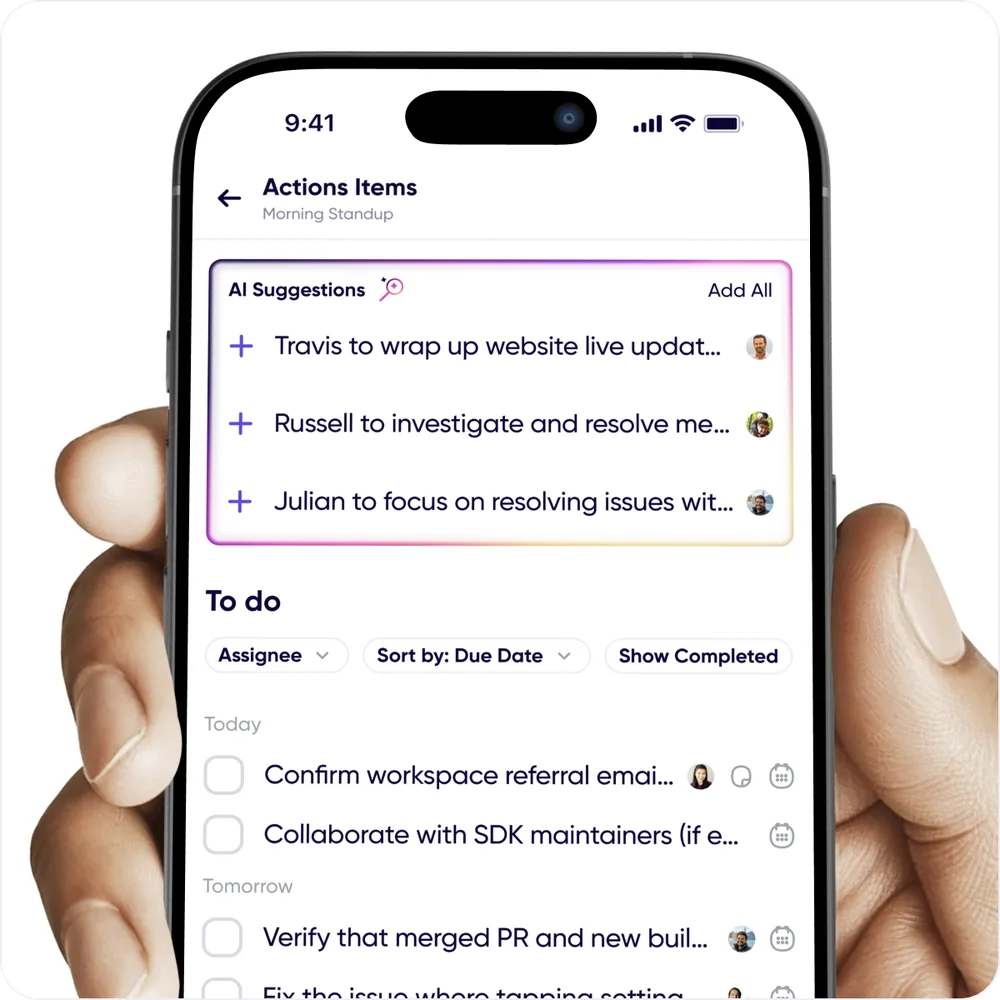
- Find them by asking AI Chat to pull action items out of your conversations.
- Conversation action items live behind AI Chat or Conversation Settings.
- Create your own with the + on the Action Items screen.
- Save them from a system prompt: prompts that generate action items, like Meeting Summaries and To-do Lists, have a Save Action Items button.
- My Action Items in Notebook holds everything assigned to you, plus anything you created and haven't assigned.
Notebook
A command center for everything discussed. In one place:
- Voice memos — the home for messages you record outside a conversation
- Action items assigned to you
- Your contact list
- Labeled messages — press and hold a message to set a label
Personal notes and saved AI outputs — blog drafts, meeting summaries, strategy documents — are coming.
3.0 is just the beginning
The goal is simple: make every conversation automatically actionable, turning talk into knowledge that moves work forward. Help shape what comes next from Profile → Help → Share Feedback.