Smarter message tracking
This update reworks how you find new messages and mark them read, upgrades replying with a saved recording, and brings a batch of performance work.
📺 Watch: finding new messages and Listen Later
The What's New line
A recurring piece of feedback was that messages didn't seem to clear notifications consistently. So "read" and "unread" are now a single line, which should feel familiar from other messaging apps.
Open a conversation and it scrolls to where you left off, with a line marking what's new. Everything above the line is read; everything below it is unread. When you leave, the line moves automatically based on what you've seen.
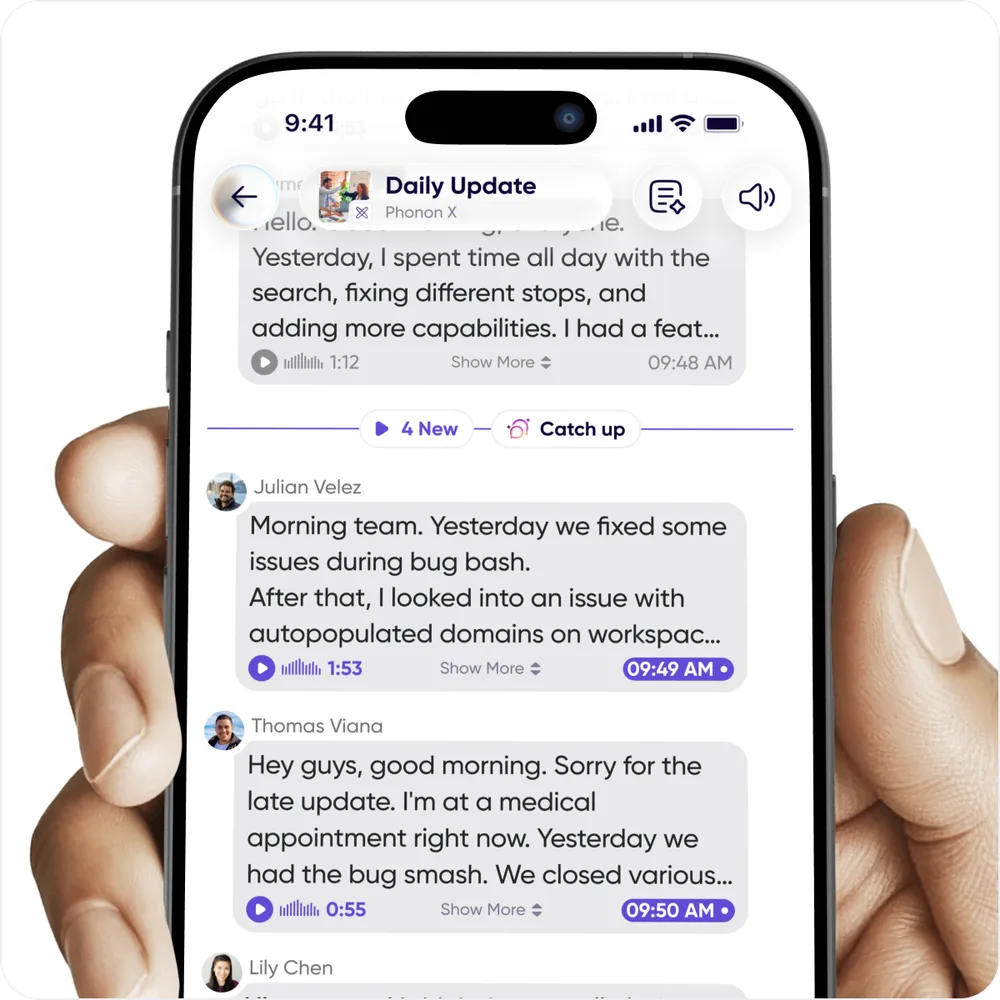
- Move it yourself by pressing and holding a message and selecting mark as unread.
- Play everything unread with the play button in the lower left — the line moves when it finishes.
- Summarize what's new with the Catch-up button on the line itself.
Listen Later
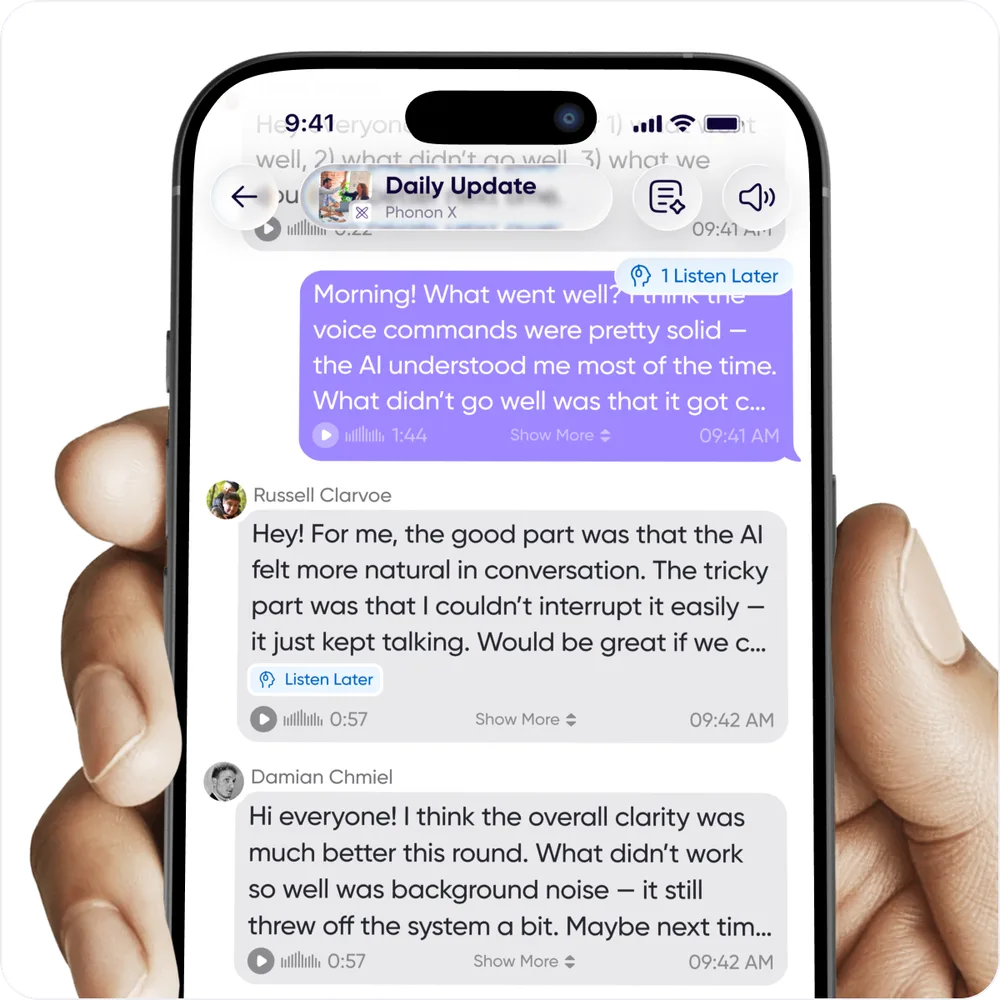
You can't always listen to a long voice message the moment it arrives. A long swipe from right to left labels a message Listen Later so it's easy to find again.
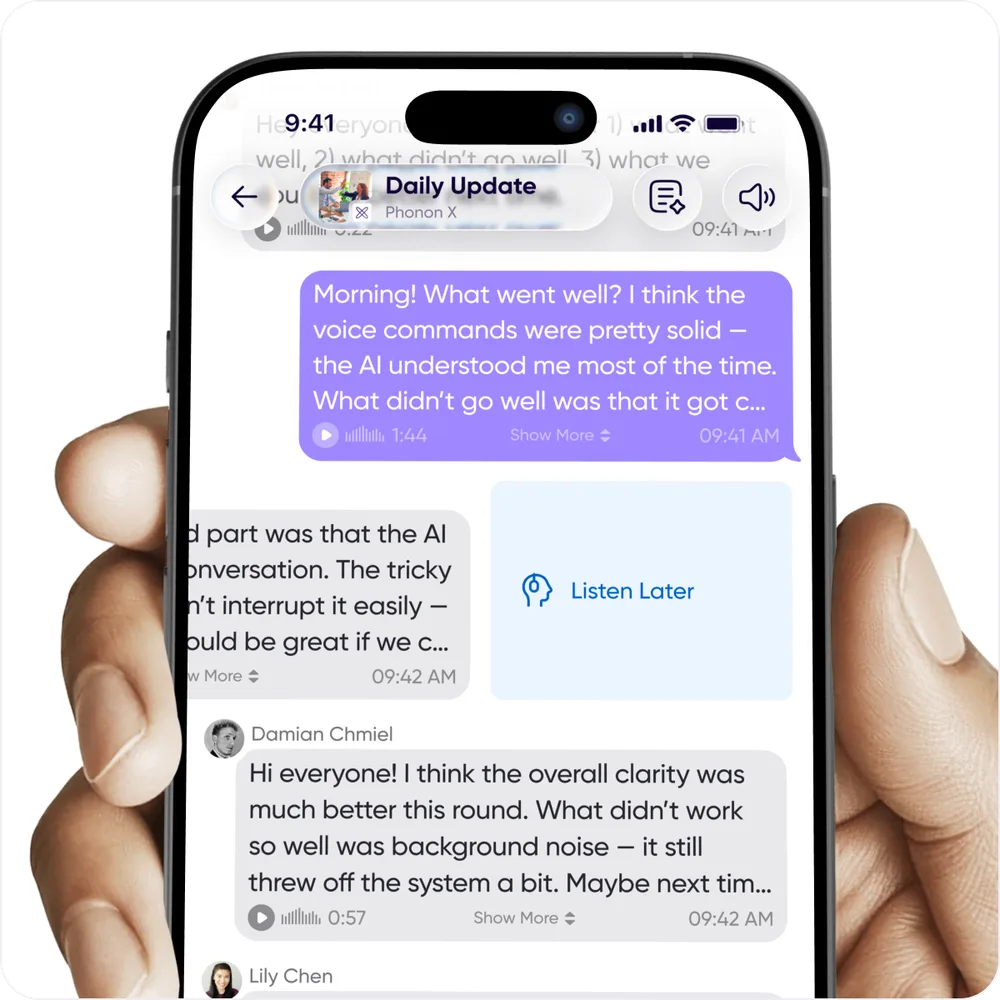
An indicator at the top of the conversation shows when you have messages saved for later. Tap Listen Later and you get arrows to move between them.
Catch up on a walk
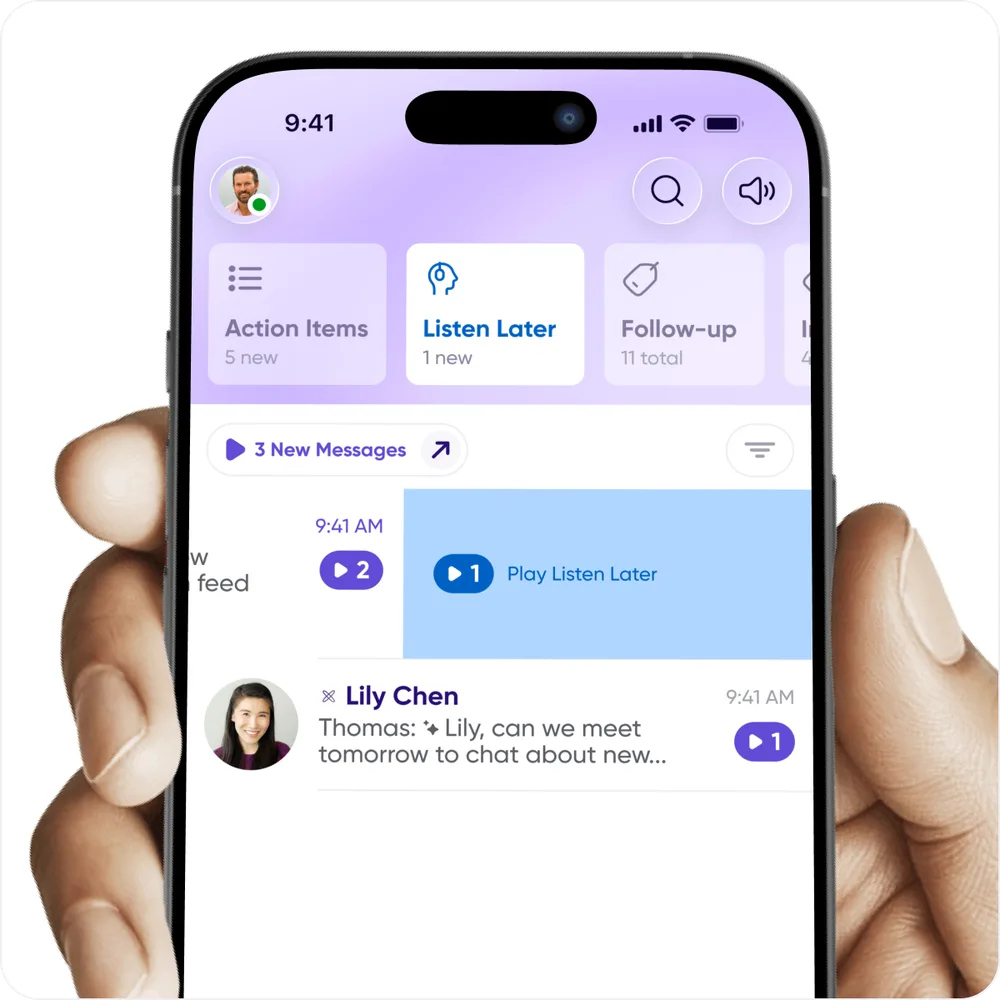
A morning walk or commute is a good time to clear the backlog. Long-swipe from right to left to play all your Listen Later messages along with the new ones — the normal play button always plays new messages only.
Tap the filter button above the conversation list to see the conversations that need your attention.
Send from voice memos
Pre-recorded messages have been replaced by the ability to reply and send from voice memos, which improves stability and removes some redundant functionality. You can still:
- Save a sent message to use again — now Save to Voice Memos.
- Reply to a message with something you already recorded — now Reply with Saved Voice Memo.
The upside is that you can send from any voice memo, and organize saved messages into folders.
If you used pre-recorded messages:
- Your existing ones are in a folder inside Voice Memos.
- Zapier workflows that send a pre-recorded message still work, though we'd suggest pointing them at the voice memo message ID instead.
- If a saved message is missing, get in touch.
Other updates
- 📓 Notebook is reorganized for faster access to your information.
- ⚙️ The profile menu and settings make relevant information easier to find.
- 🌎 Translated messages are easier to identify.
- ✅ Performance and bug fixes were a major focus, with more coming.
- 👩💻 People are building some genuinely interesting integrations between AI agents and Carbon Voice. For developer keys, go to developer.carbonvoice.app.