AI summaries are on by default in every conversation
In response to your feedback, AI summaries are now on by default across all conversations. Any message that has a summary — typically messages longer than 100 characters, on accounts with an AI plan — will be summarized, so you can grasp the essence of a long message without reading the whole thing first.
Available in version 1.2.14914 and later. Update the app to get it.
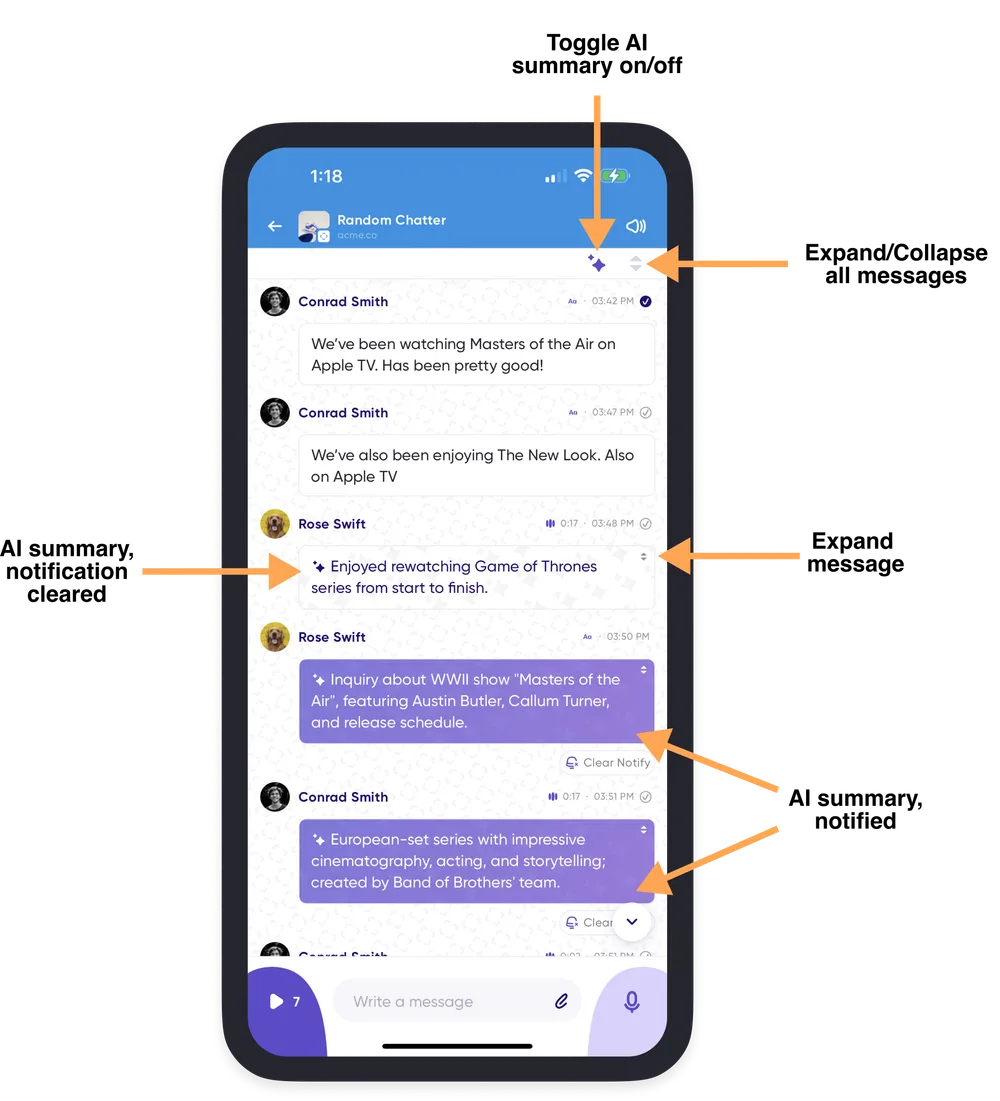
Seeing full transcripts
To see one message in full, tap the expanding arrows in the top-right of its message card. That reveals the complete transcript alongside the AI summary for that message only.
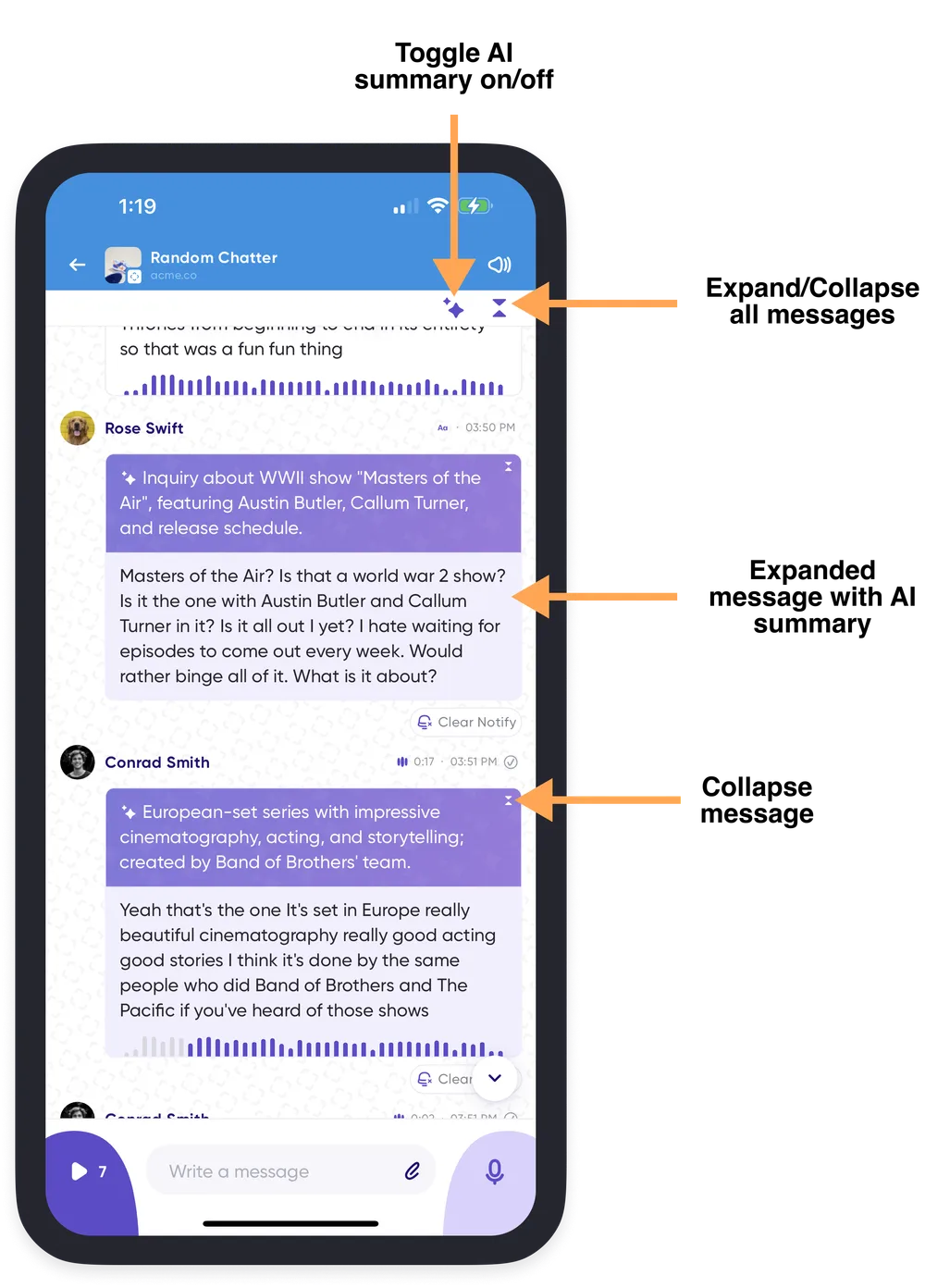
To expand every message in a conversation, tap the expander arrows in the top-right of the conversation screen.
To hide summaries for the conversation you're in, tap the AI sparkles at the top of the feed.
Turning summaries off by default
If you'd rather always read messages in full, turn summaries off in Conversation History settings (Profile Menu → Settings → Conversation History).