Message forwarding
Ideas rarely stay in the conversation where they started. Message forwarding lets you pass a message along to another conversation, so information moves as fluidly as the discussion does.
Forwarding a message
A forwarded message can be read or heard by its recipients even if they weren't in the original conversation. If they do have access to that conversation, they'll see a link back to the original message — so context and flow survive the trip.
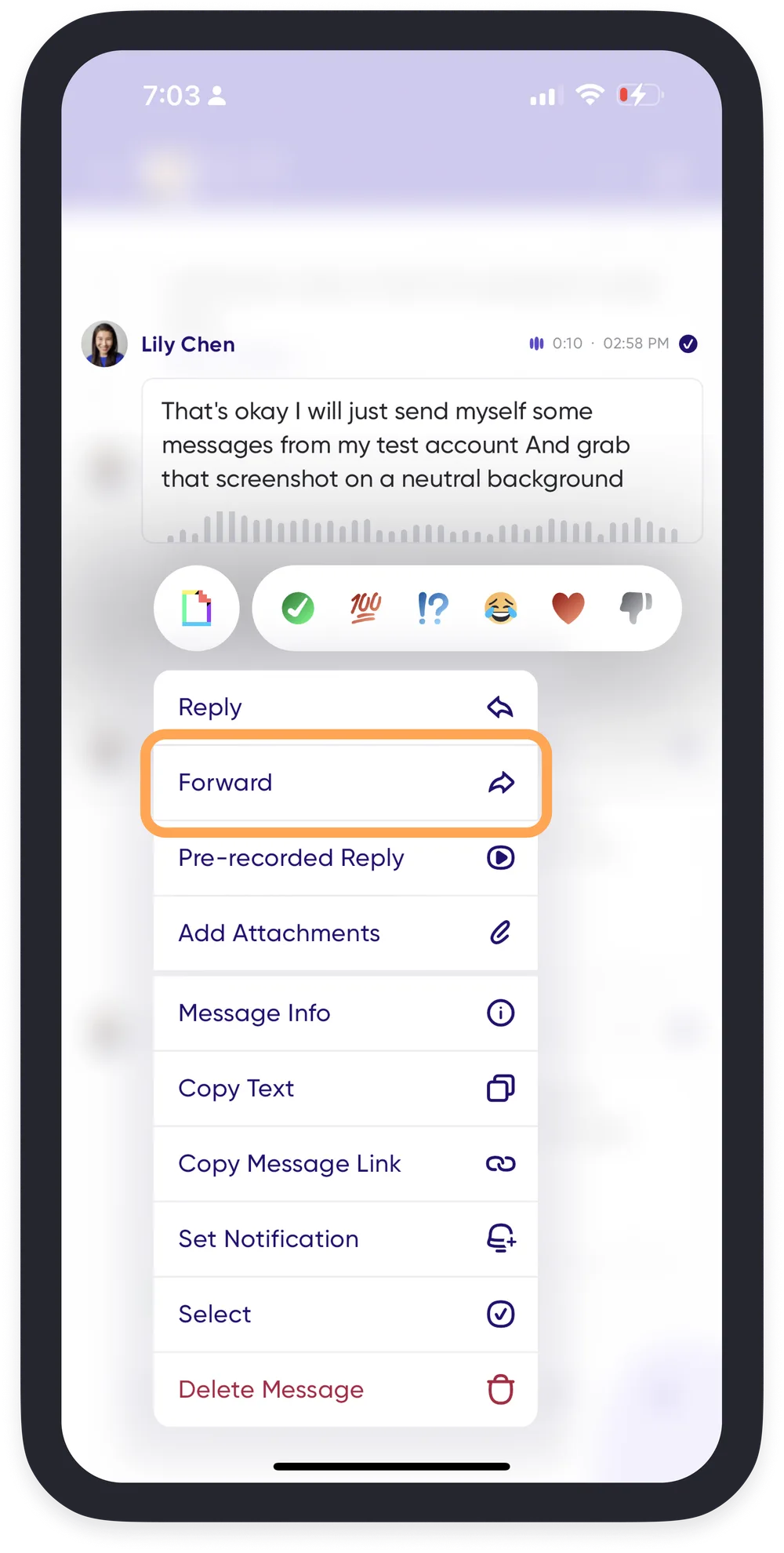
- Press and hold the message you'd like to forward.
- Select Forward.
- Choose the conversation to forward it to.
Sending your audio as a new message
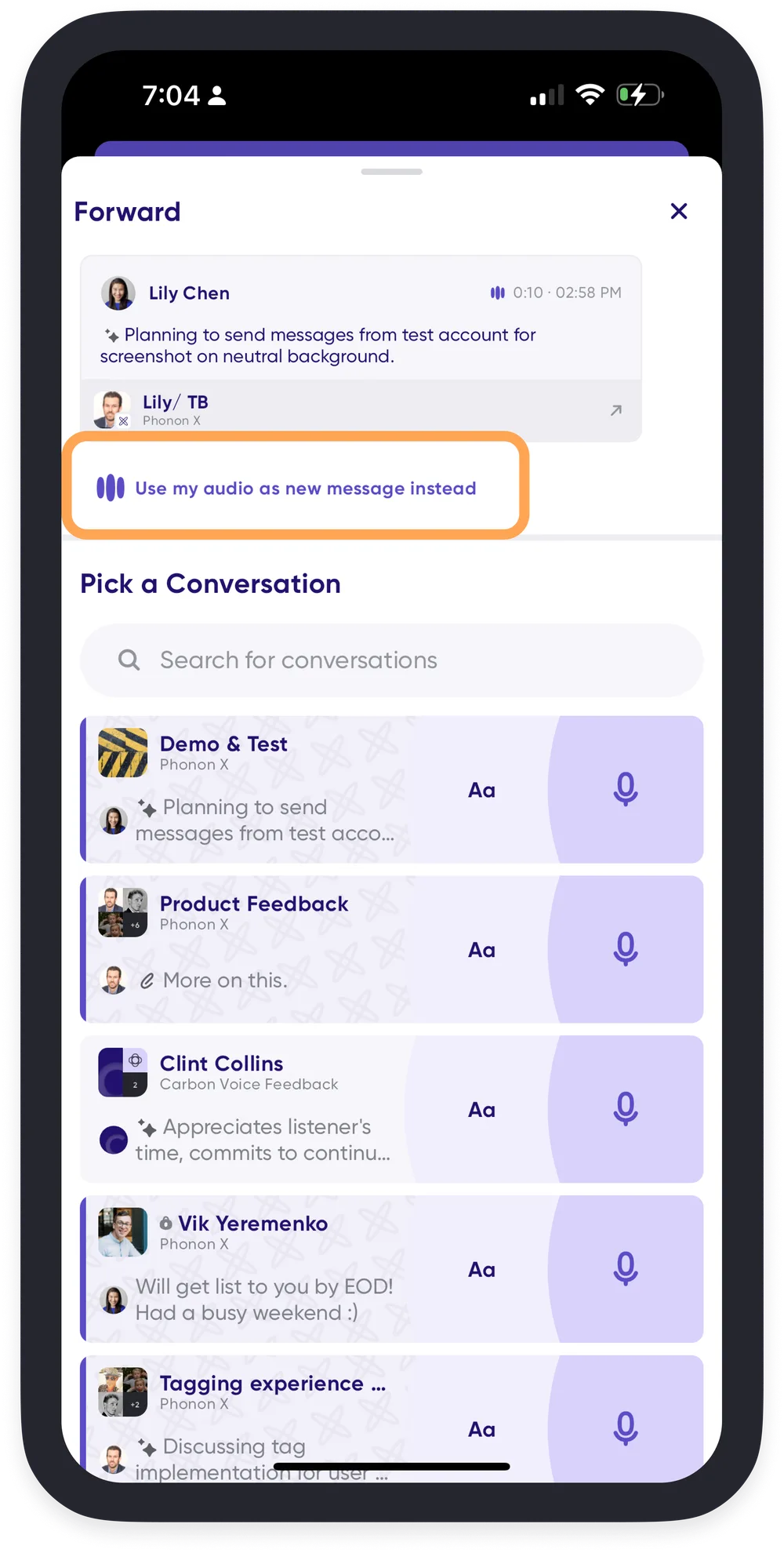
You can also send a message you've already sent as a brand new one, in several places, without saving it as a pre-recorded message first. When forwarding your own message, choose Use my audio as new message instead. It goes out with the original audio and text, but without a link back to where it first appeared.
Pre-recorded messages are still the better choice for things you say often.
Transparency alerts
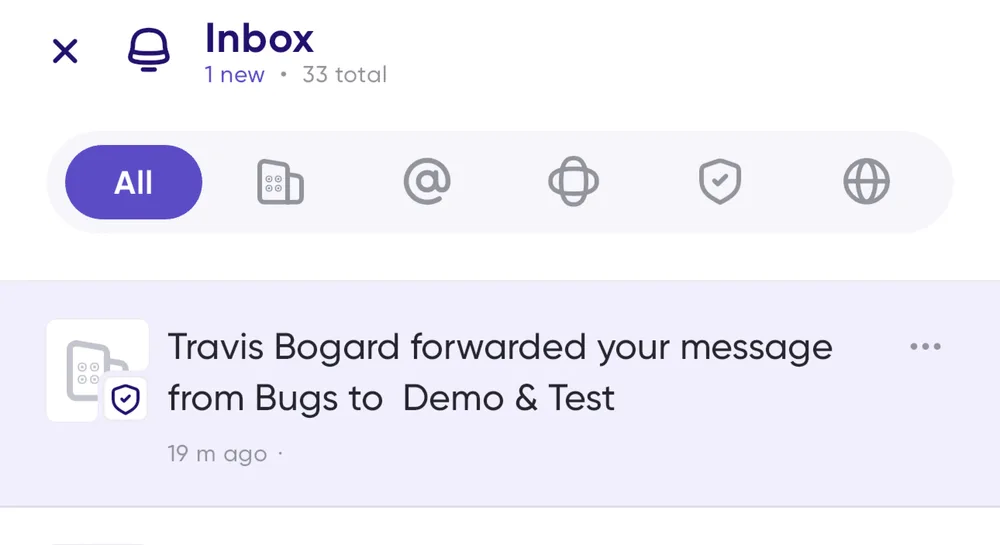
Forwarding is useful, and being forwarded can feel surprising. So Carbon Voice notifies the owner of a message whenever it's forwarded — you always know how your messages are being shared.