Press and hold to record, AI Bullets, and an iMessage app
Another round of features for capturing, organizing, and sharing your voice messages.
Press and hold to record
Press and hold the mic button to start recording, and release to send instantly. If single-tap recording has been creating accidental recordings for you, there's now a preference to turn it off: Profile Menu → Settings → Recording.
AI Bullets
Turn a longer voice message into clear, concise bullet points — useful for summarizing information or organizing spoken content into something easier to scan.
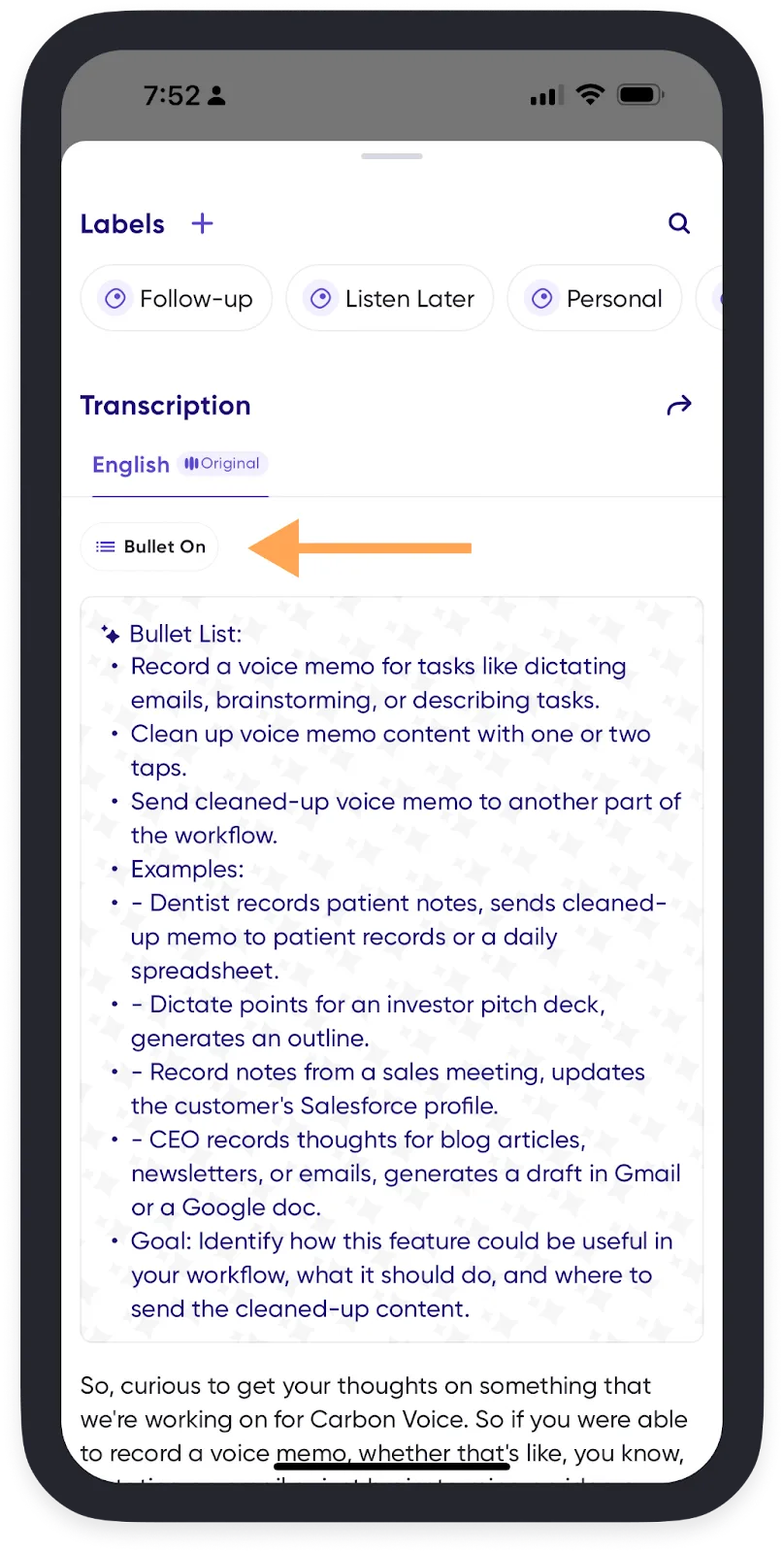
- Swipe right to left on any message card to open message info.
- Toggle Bullet Off to convert the message into bullet points.
iMessage app extension
Record and send Carbon Voice messages from inside iMessage, so all your audio stays in one place:
- In iMessage, tap the + icon.
- Swipe up to find the Carbon Voice extension.
- Record your message.
- Send it as a link, or straight into an existing Carbon Voice conversation.
Everything you record there syncs to your Carbon Voice app automatically.