Catch-up, AI Actions on multiple messages, and more
This release is about catching up quickly and turning discussions into structured updates.
Quickly catch up on missed messages
Stuck in a meeting, or waking up to a busy conversation? Swipe right to left on the conversation from Home and Catch-up summarizes the discussion, with links to play the source messages. You can mark everything read from there too.
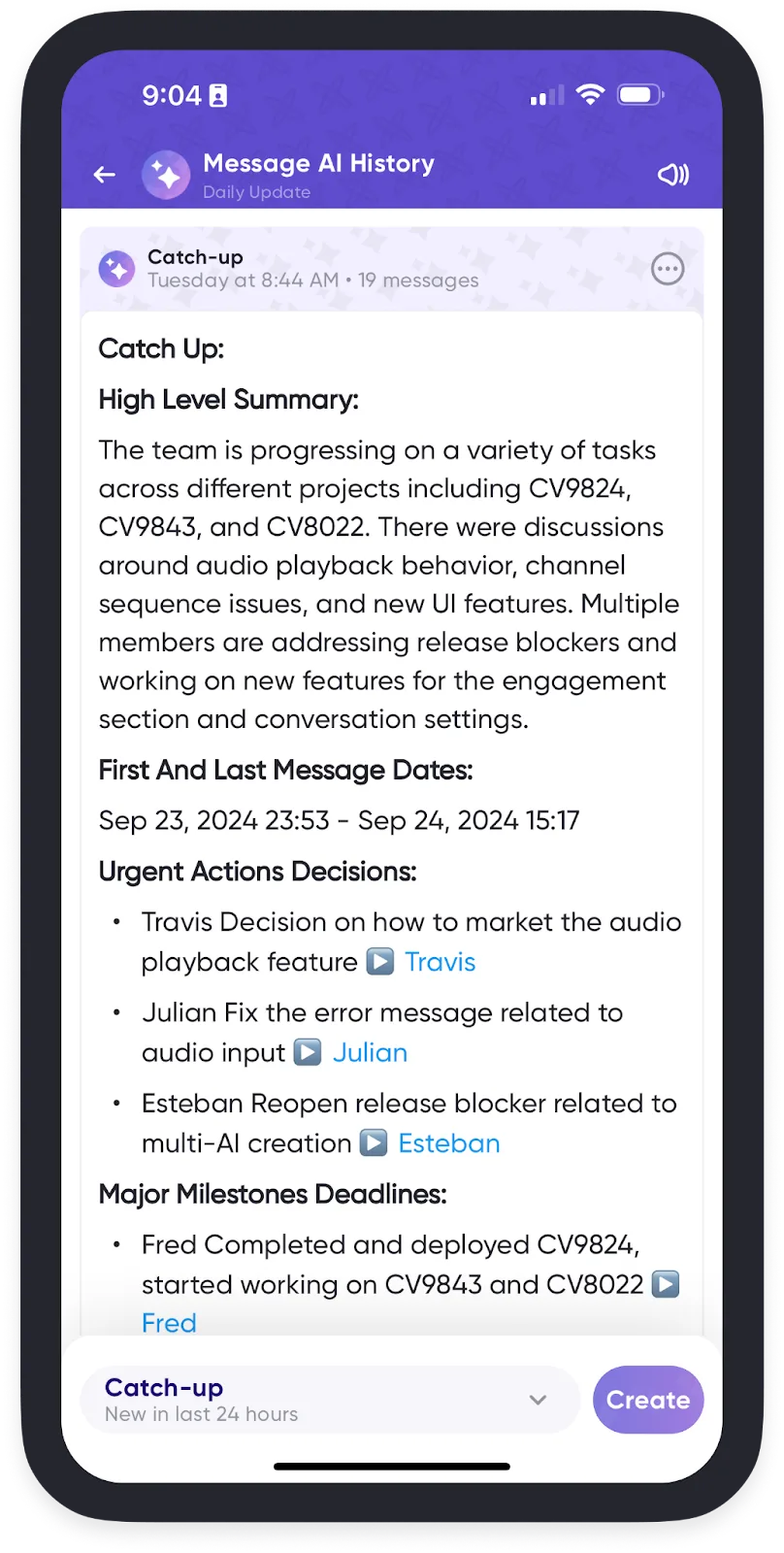
A history of your AI Actions
Tap the AI icon in the bottom right of a conversation to find every AI Action result from across that conversation in one place.
AI Actions across multiple messages
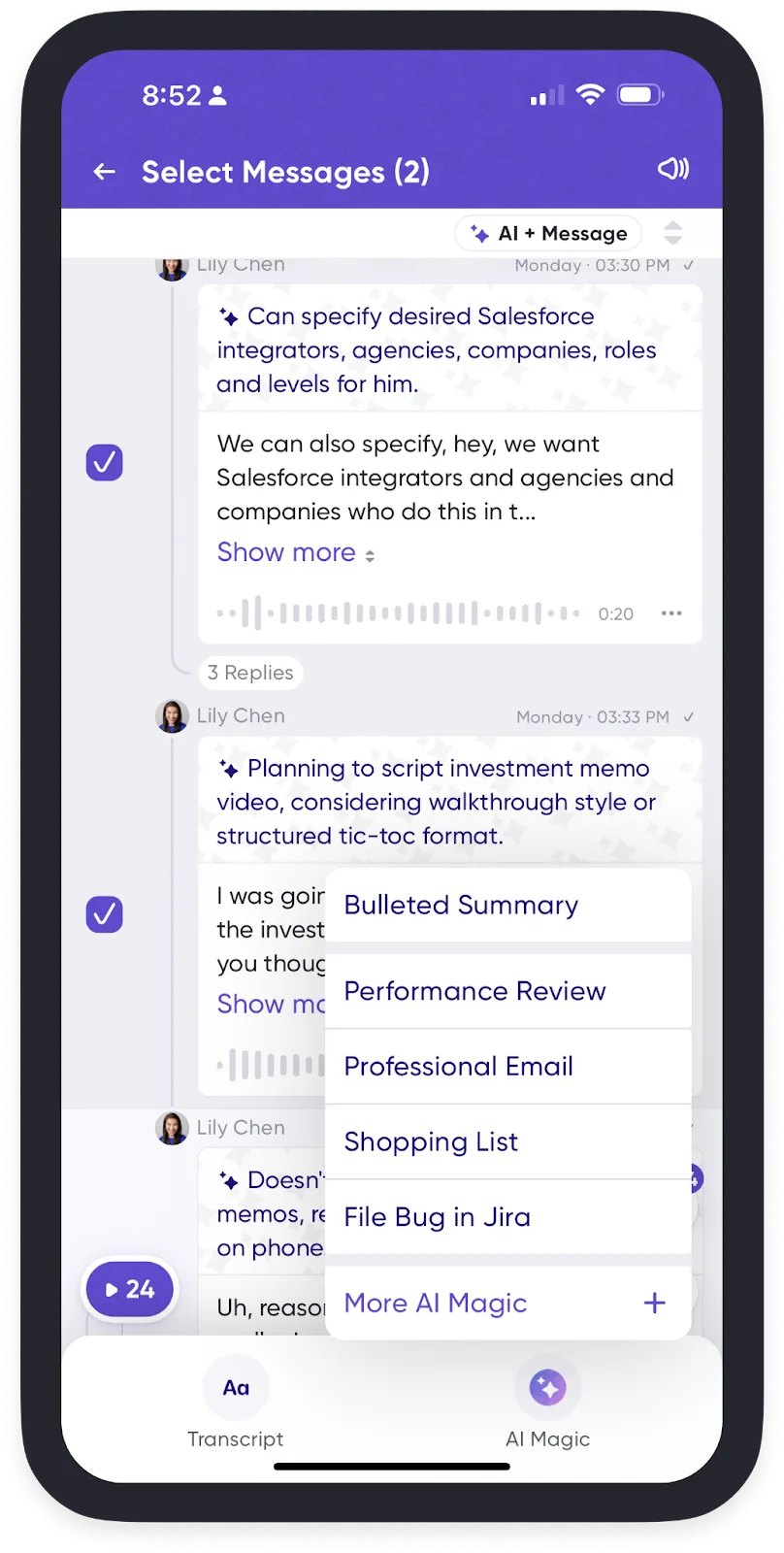
Want to turn a whole discussion or several voice memos into a presentation outline or a meeting summary with action items? Select the messages you want included and run the action on all of them at once.
- Press and hold any voice memo or message in a conversation.
- Tap Select to choose multiple messages.
- Pick your AI Action.
Raise your phone to your ear to play new messages
To listen privately without headphones, bring your phone to your ear and unheard messages in the conversation start playing. Playback pauses when you move the phone away and resumes when you bring it back. Turn it on in Profile Menu → Settings → Recording & Playback.
Naming your voice memos
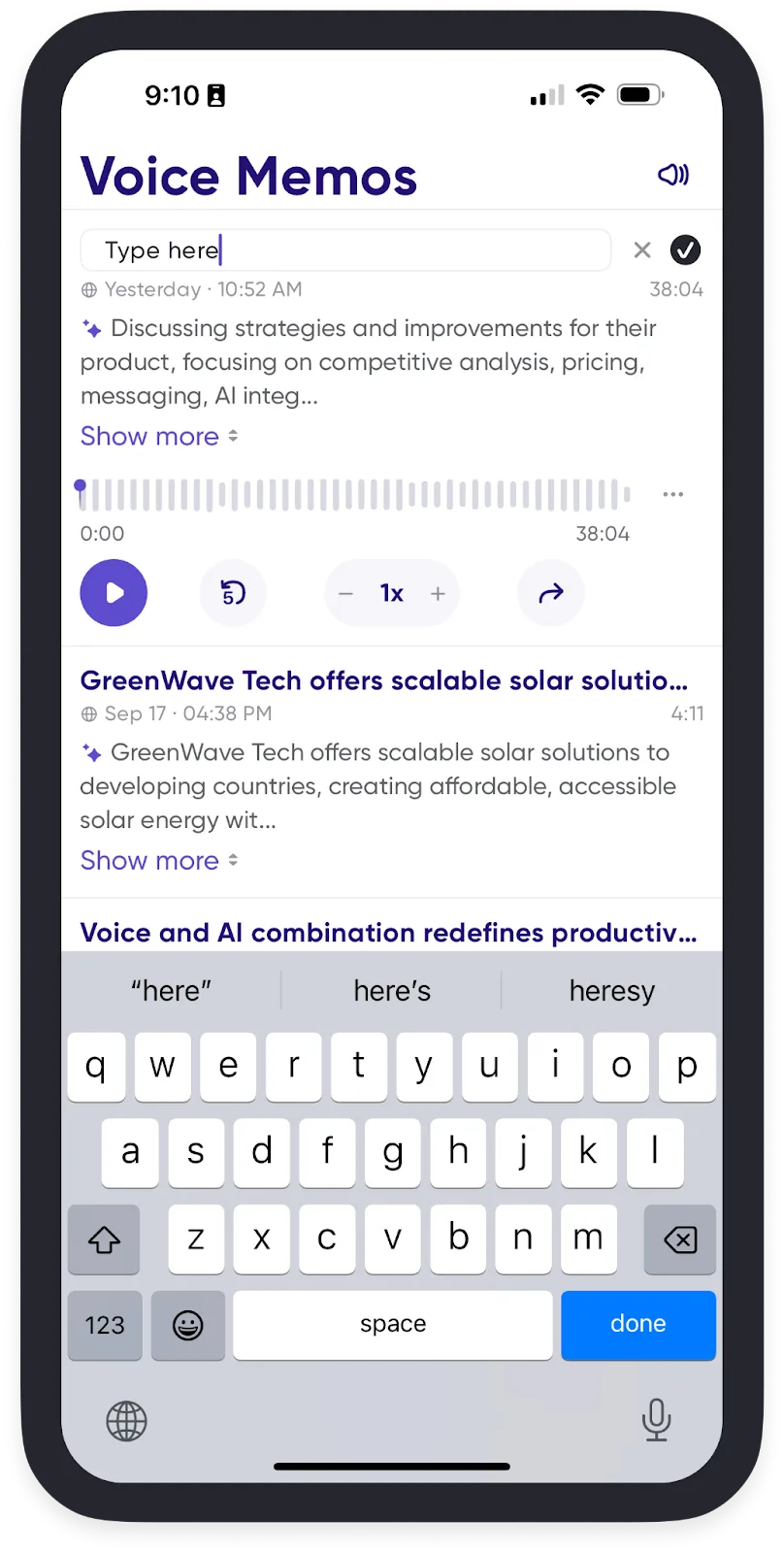
Struggling to remember which memo is which? AI now names them automatically, and you can rename them yourself:
- Open your list of voice memos.
- Each memo has an auto-generated title — very short memos won't.
- Tap the title to edit it.
Convert a DM into a named conversation
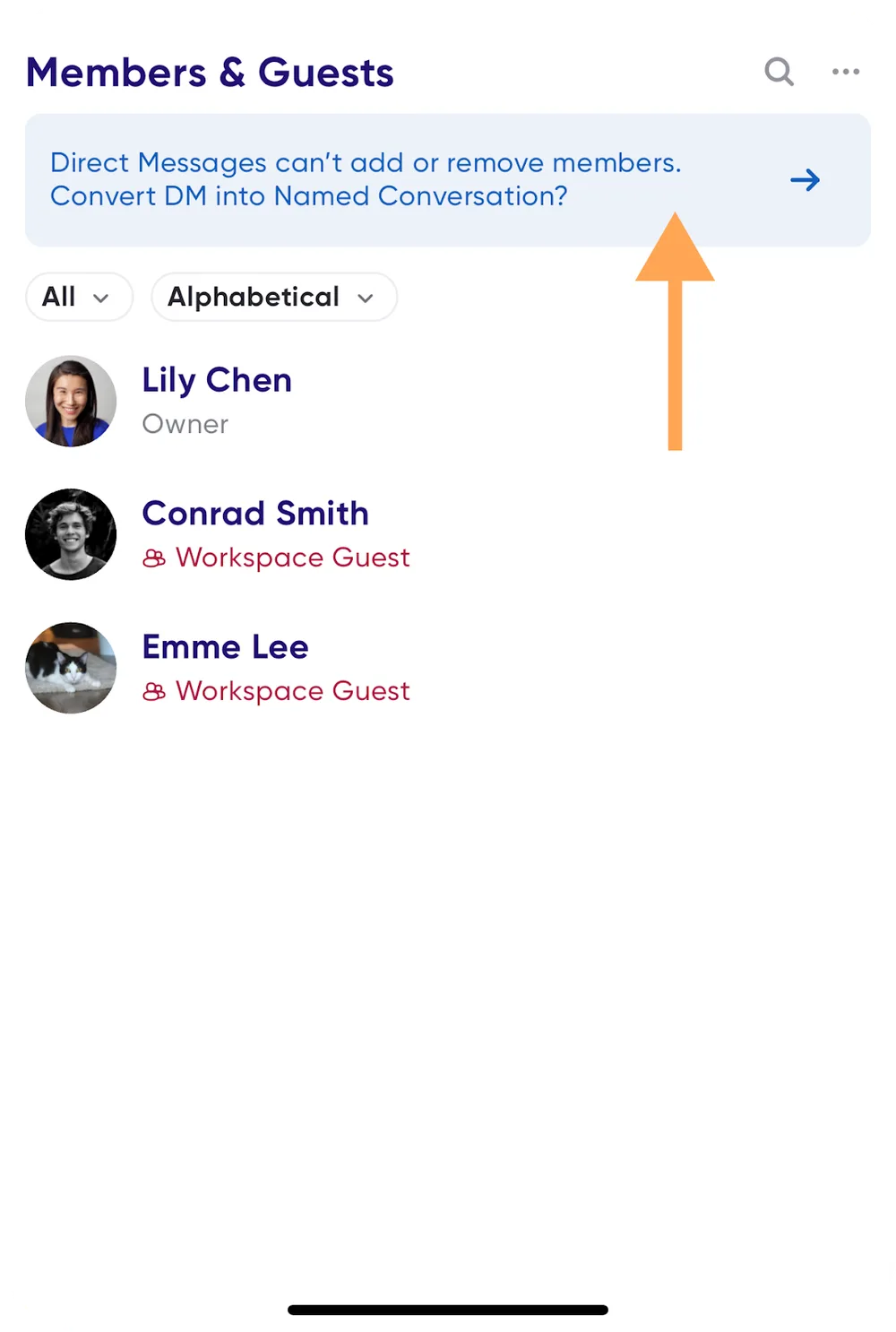
You asked for this: a direct message can become a named conversation, so you can add and remove members, preserve the history for people who join later, and get more access control options.
- In the DM, tap ⋯ in the top-right for Conversation Settings.
- Tap Members.
- Tap Convert DM into Named Conversation.
- Name it and tap Convert.
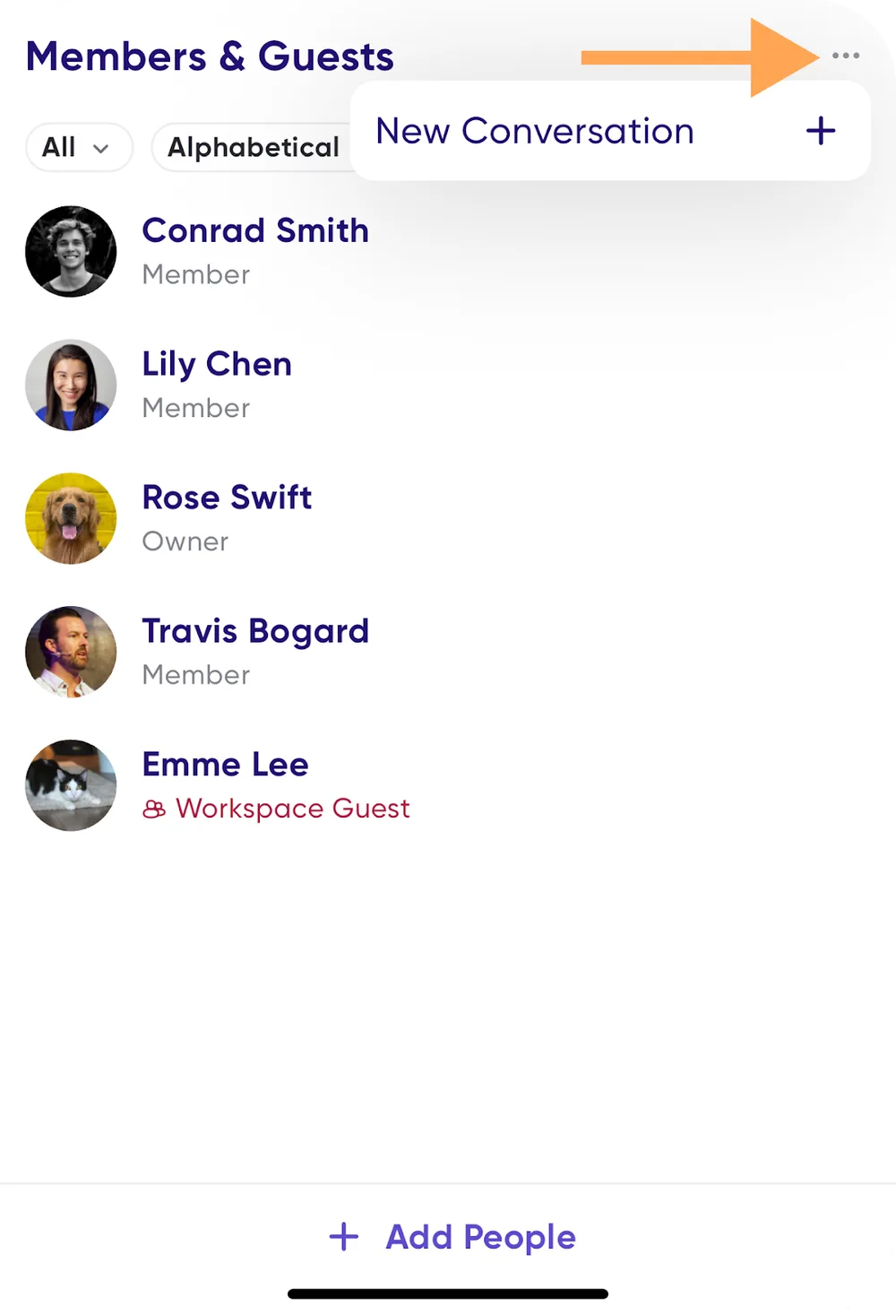
Start a new conversation with the same members
New topic, same group of people? You no longer have to rebuild the member list.
- In the conversation, tap ⋯ in the top-right for Conversation Settings.
- Tap Members.
- Tap ⋯ in the top-right.
- Select New Conversation +.
Haven't tried voice with AI Actions yet? See nine ways to be more productive with AI Actions.