Introducing Carbon Voice 2.0
Carbon Voice 2.0 is here, redesigned around your feedback. Three things headline it: voice memos, a streamlined interface, and faster playback.
📺 Watch: a walk-through of what's new
Voice memos: a faster way to capture and share audio
A big record button now sits front and center, so you can capture an idea with a single tap. When you're done, you can:
- Get a shareable link to save in a doc or send by email, text, or Slack. Recipients can listen inline in their messaging app or in a browser, and reply.
- Share it to a conversation as a new message once you've perfected your thoughts.
- Listen later or get a transcript to paste into AI tools or documents.
Some of the ways early testers are already using them:
- An intro message shared as a link in sales outreach, so prospects can listen and reply to start a conversation.
- Quick thoughts to the team dropped as a link into Slack and other chats.
- Brainstorms captured and sent to ChatGPT for structuring before sharing.
- Bug reports captured on the go, then turned into a well-structured ticket.
- Dictated emails transcribed, cleaned up, and sent.
A streamlined messaging experience
The interface is more familiar and more intuitive, without giving up what makes audio powerful.
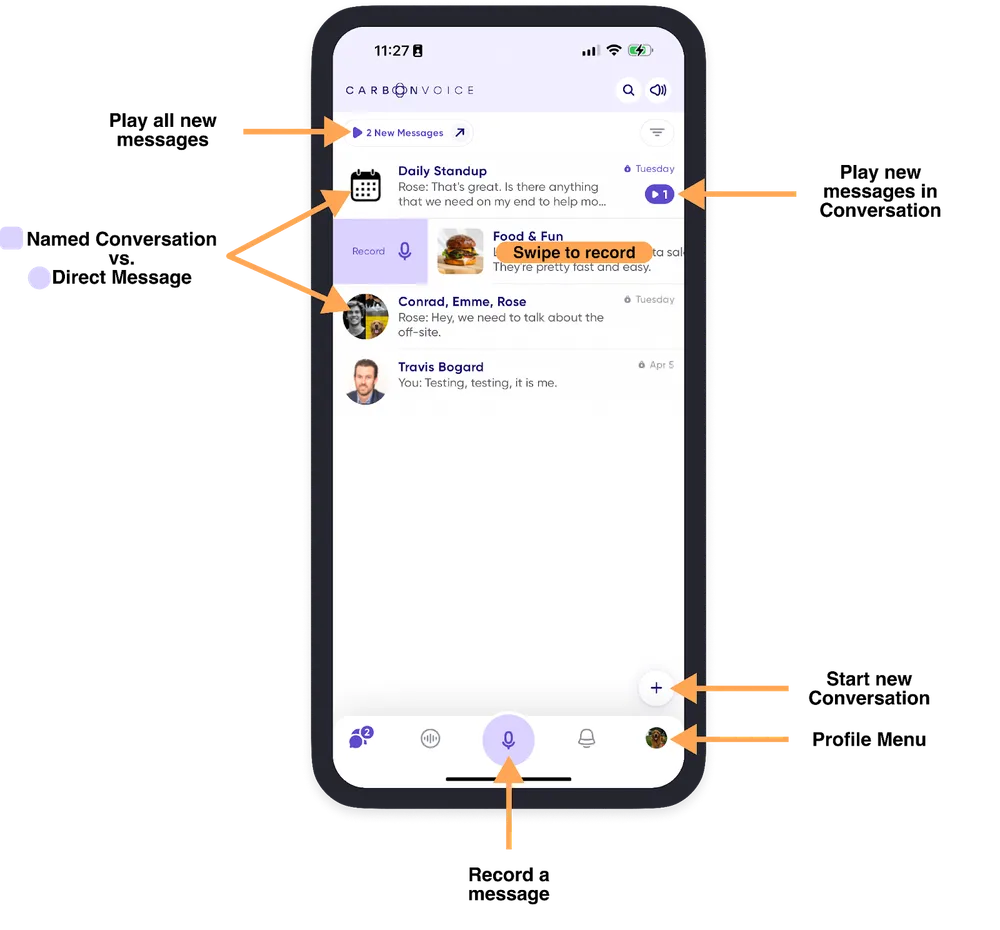
A few pointers on where things are:
- Start a voice memo with the big mic button in the bottom center.
- Pull down to search.
- Conversations are on the bottom left, with your voice memos just to the right.
- Settings are on the far right, next to the notification inbox.
- Start a message to a conversation by swiping left to right on it.
- Tap the new message badge to play all new messages, or those in one conversation.
- Start a new conversation with the floating +.
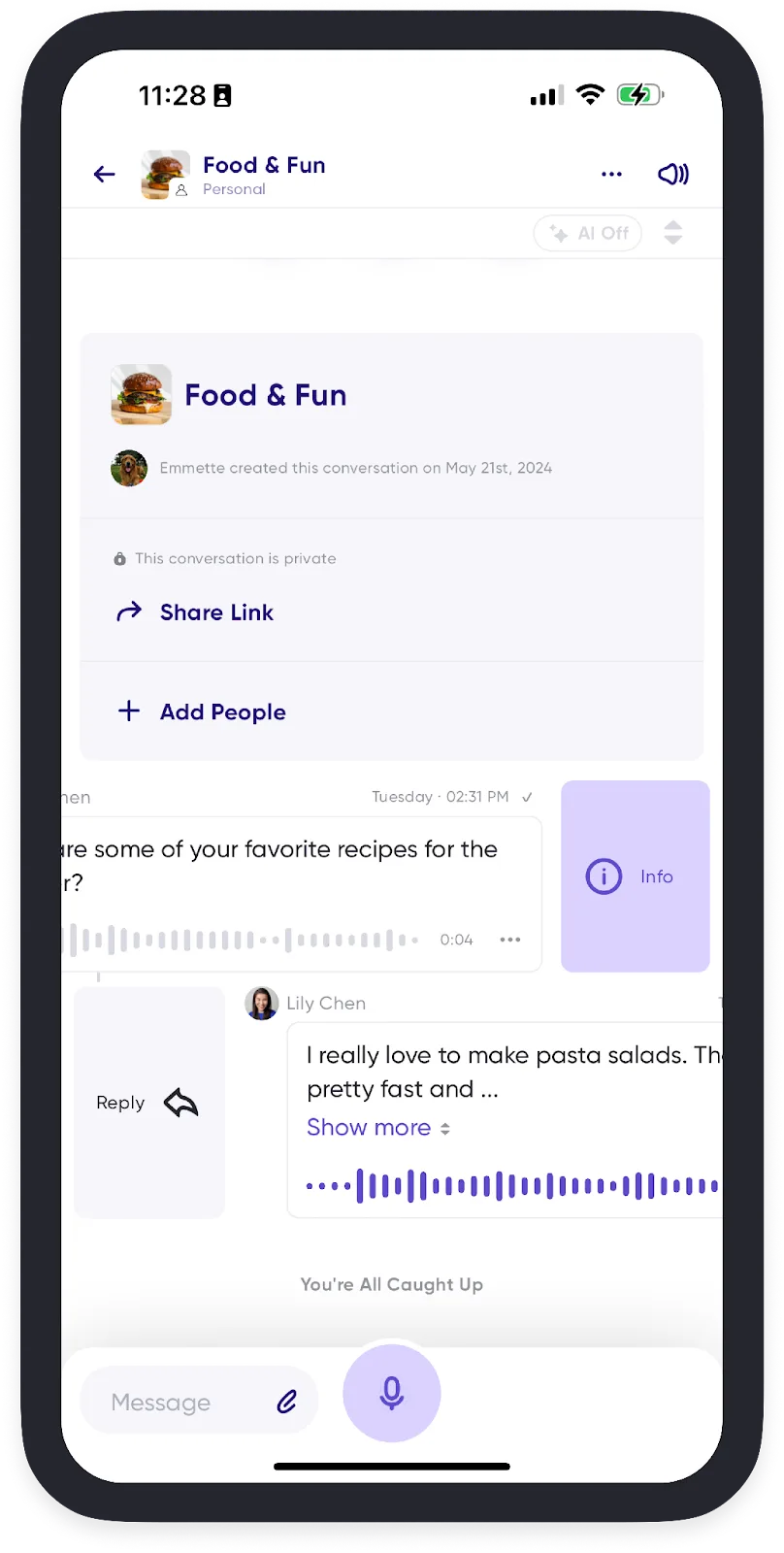
Inside a conversation:
- Swipe right to left on a message for the full transcript, labels, and more.
- Swipe left to right to reply as a thread.
Faster playback on low-network connections
Cached audio means you can breeze through messages and stay understandable even when your connection isn't good.
All of this sits on top of recent additions you may have missed: message forwarding, AI summaries in push notifications and on all messages, and editing text messages.