A faster way for your team to join your workspace
You can now connect your company domain to a workspace, so anyone who logs in with a matching email address discovers it — no links to hunt for and no invites to track down.
How it works
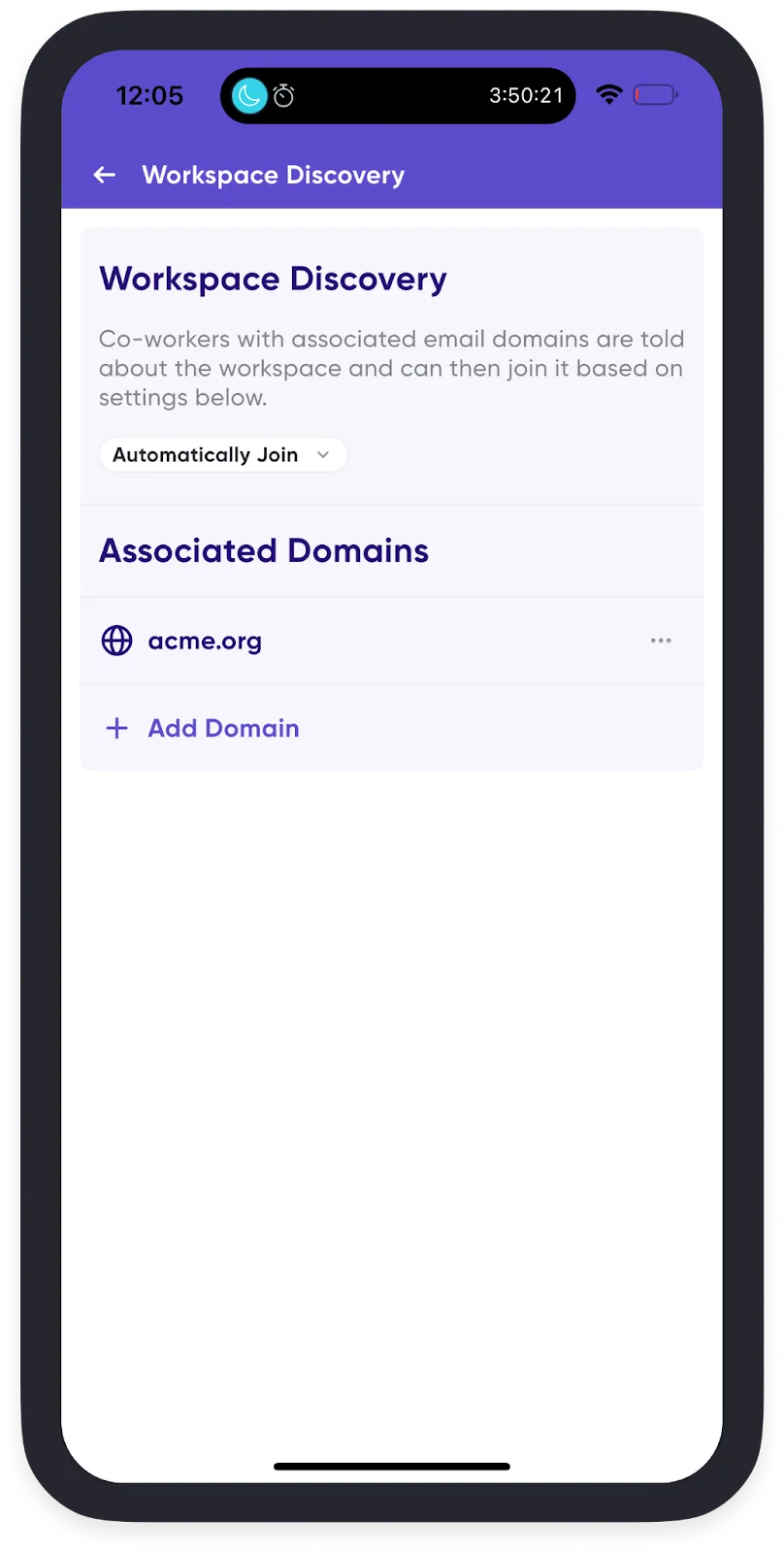
Once you've connected your company domains to your workspace, anyone logging in with a matching email domain is told the workspace exists. You choose what happens next:
- They join automatically.
- They're prompted to request to join, and a workspace admin approves it.
- They see custom instructions you've written — internal process notes, or links for joining.
Setting it up for a new workspace
Create a workspace. Step 2 of creation walks you through associating your company domains and choosing the setting.
Setting it up for an existing workspace
- Open your Profile Menu in the bottom-right corner.
- Tap Spaces, then tap the gear icon to the right of your workspace.
- Select Admin Controls → Workspace Discovery.
- Tap + to add a domain.
- Choose how people with that domain can join:
- Do not inform — manual adds only
- Auto-join
- Request to join
- Show custom instructions
See Connect a domain for the full documentation.