Talk across languages in your own voice
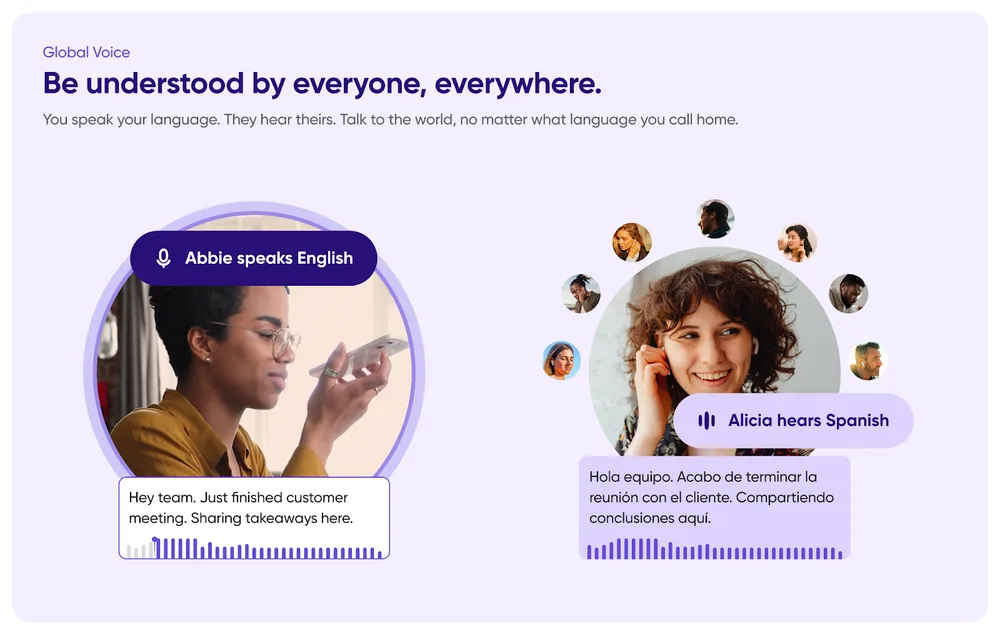
Global Voice is a new way to talk to someone who speaks a different language. Your messages are translated automatically when the recipient doesn't understand your language — they can read the translation, or hear you speak their language in your own cloned voice. It also turns your text messages into voice messages, played back in that same cloned voice.
At launch, Global Voice is available on iOS only. Android is coming.
Automatic translation
- Send a voice or text message in English, and your recipient receives it translated into a language they understand.
- When someone messages you in another language, it's translated into one you understand.
Voice cloning
- Your translated voice messages and typed messages play back for recipients in your cloned voice.
- If someone sends you a translated or typed message and has set up their own clone, you'll hear it in their voice.
Getting started
Global Voice is a premium feature, included in all paid premium plans.
- Go to Profile Menu → Settings → Global Voice.
- Tap Clone My Voice to train your voice clone — a quick setup, with a free trial. This also enables automatic translation.
- Set your language preferences to customize translations.
Credits
Global Voice consumes AI credits, and every plan includes enough for typical monthly use:
- Automatic translation: 1.5 AI credits per minute of audio translated.
- Voice cloning: 15 AI credits per minute of voice-cloned audio.
Not on a premium plan? You can still try Global Voice on a free trial.
See Auto-translation and Voice cloning for the full documentation.