The best meeting is the one that never gets scheduled
The best way to avoid a meeting is to never have it get scheduled in the first place.
We've updated CarbonLinks and shared voice memos — the two simplest ways Carbon Voice helps you talk with people without putting another meeting on the calendar.
They work from opposite sides of the conversation:
- CarbonLinks let people reach out to you, like an async phone number.
- Shared voice memos let you send your thoughts out with an easy way to respond — a reply to an email, a text, or a form, as a quick link. An audio Loom.
Both now have a simpler, more streamlined experience, along with new ways to respond.
💬 CarbonLinks: now talk or type
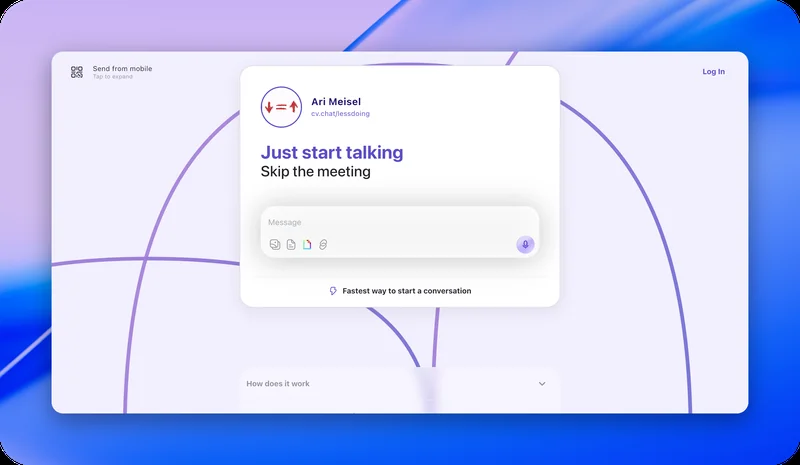
We've simplified the CarbonLink experience and added a new option: text. People can now type a message to you as well as record one. No app to download, no meeting to book.
Put your CarbonLink anywhere you want people to be able to reach you — your email signature, your website, your LinkedIn profile, or in place of your calendar link.
Message Travis via CarbonLink · Claim your CarbonLink
🎙️ Shared voice memos: easier to hear, easier to answer
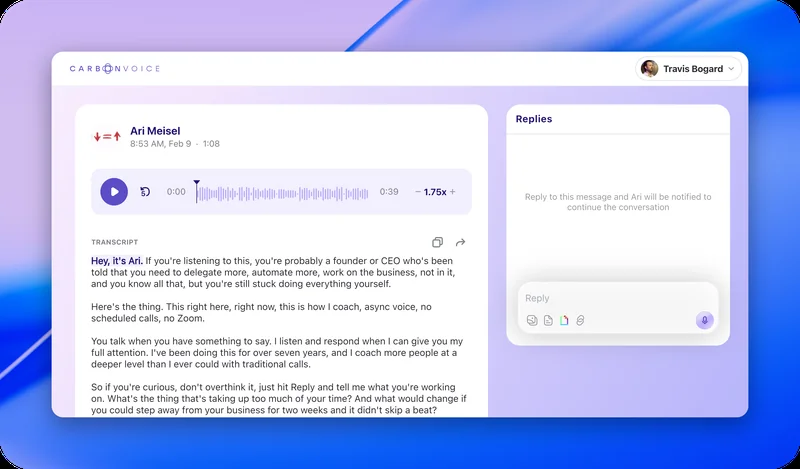
We've also redesigned what someone sees when they open a shared voice memo. The new page puts your message front and center, with playback and the transcript easy to reach. When someone wants to respond, they can react, type a reply, or talk back.
To create a shareable voice memo, record from the home screen and share the link that's automatically copied to your clipboard.
🌐 See them in action
Two people using both, on their own sites.
Ari Meisel — talktoari.com
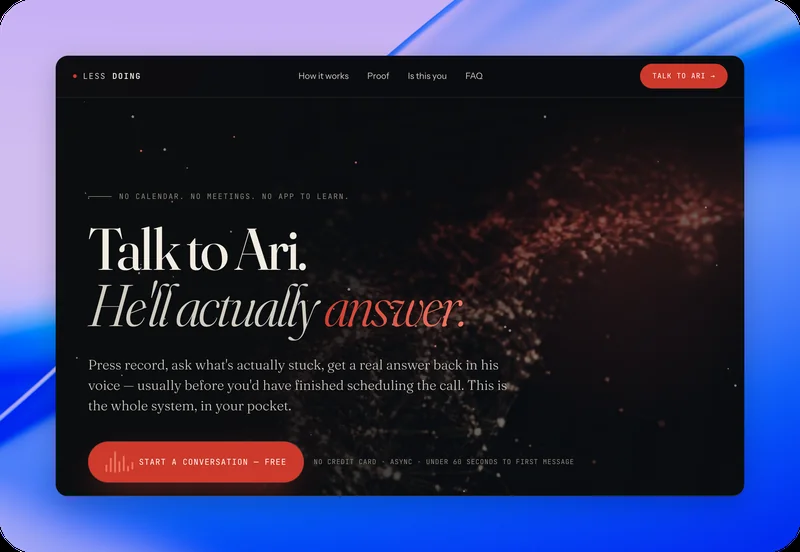
Ari uses a link to a shared voice memo to introduce himself in his own voice, and lets visitors respond directly to what he said.
Kevin Koym — speakwithkevin.com
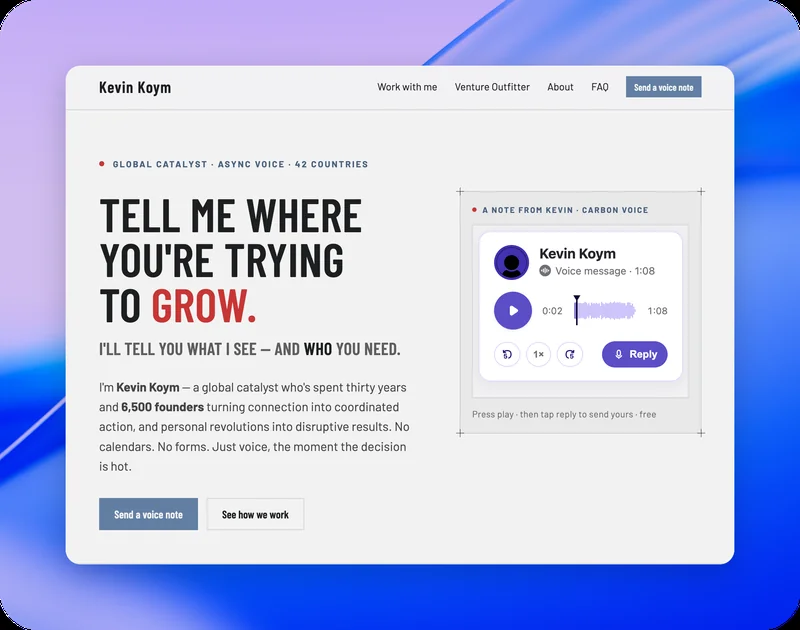
Kevin embeds the voice memo on his site, so visitors can hear his perspective with a quick play button and respond directly. His contact form uses his CarbonLink to let them start a new conversation.
In both cases, instead of the website leading straight to "book a meeting," it gives people a way to just start talking.
⚡ SSO login on the Mac app
The Mac app now supports SSO login, alongside Google, Apple, phone, and email.
Keep the feedback coming — it helps us prioritize what to improve next.
Questions go to Profile Menu → Help → Support, or getcarbon.app/help. Feedback goes to Profile Menu → Help → Feedback.